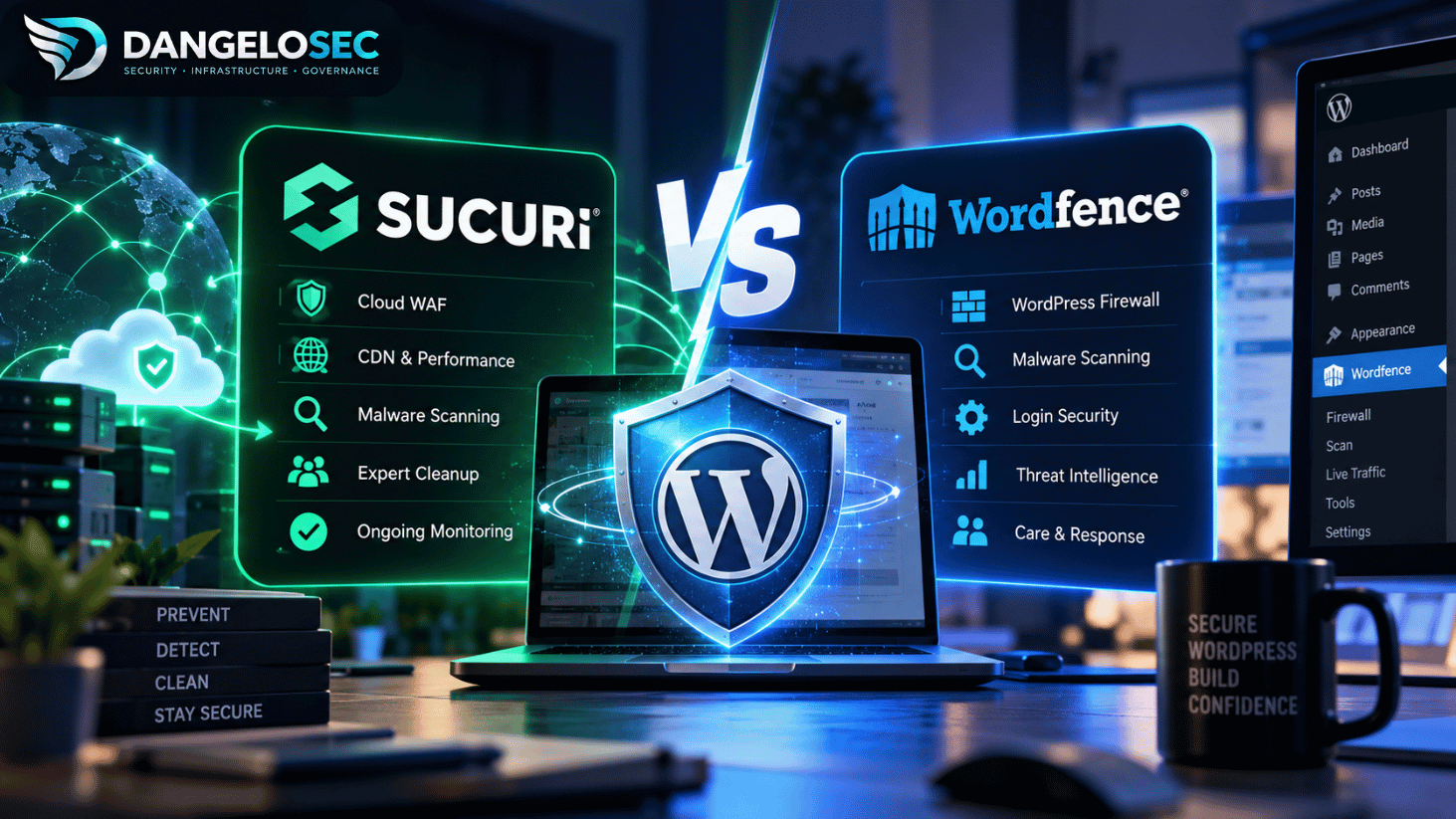
Sucuri and Wordfence can both protect a WordPress site, but they don’t put the main security control in the same place — and they don’t leave the same person responsible when something goes wrong.
That’s the difference I would focus on before comparing feature lists.
Wordfence is deeply integrated with WordPress. Its firewall, malware scanner, login protection, vulnerability monitoring, and other controls operate around the WordPress environment itself.
Sucuri takes a broader website-security approach. Its paid platform puts a cloud firewall in front of the website, combines that with monitoring and scanning, and includes expert malware remediation if the site is compromised.
That leads me to a fairly clear recommendation.
For most small businesses that want WordPress security without personally becoming responsible for malware cleanup, I would choose Sucuri.
Wordfence would be my preference in some other situations — particularly for a technically capable WordPress administrator who wants deeper WordPress-specific controls and is comfortable managing security more directly.
And for a revenue-critical WordPress site where a security incident could immediately affect significant revenue, I’d look beyond both entry plans and evaluate Wordfence Response as a different class of service.
So there isn’t one winner for every WordPress installation.
But there absolutely are situations where I’d choose one over the other.
Sucuri vs Wordfence: My Recommendation
If you don’t want to read the entire technical comparison, this is where I’d start:
| Your situation | My choice | Why |
|---|---|---|
| Typical small-business WordPress site | Sucuri | Prevention plus expert malware remediation |
| Business owner who doesn’t want to clean malware personally | Sucuri | Human cleanup is included with Platform plans |
| Want a cloud security layer in front of the origin | Sucuri | Reverse-proxy WAF architecture |
| Technical WordPress administrator | Wordfence Premium | Strong WordPress-specific controls and visibility |
| Budget-conscious site with capable administrator | Wordfence Free/Premium | Strong self-managed security without paying for managed remediation |
| Revenue-critical WordPress operation | Wordfence Response | Explicit 24/7 incident-response service |
| Already hacked and comparing cleanup options | Compare remediation services, not just plugins | Detection and cleanup are different problems |
My default small-business recommendation is therefore Sucuri, but not because it wins every feature comparison.
It’s because of who owns the problem after malware is discovered.
For a business owner, that distinction can matter more than whether one product has three more dashboard controls than the other.
Our pick for most small-business WordPress sites: Sucuri
View Sucuri Website Security Plans →
Sucuri and Wordfence Don’t Protect WordPress the Same Way
A lot of Sucuri vs Wordfence comparisons begin with a giant checklist.
Firewall: check. Scanner: check. Brute-force protection: check. Malware detection: check.
That makes the products look more similar than they actually are.
The architectural difference is more useful.
Sucuri puts the firewall in front of your website
Sucuri’s Website Firewall operates as a cloud-based intermediary between visitors and your hosting server.
In simplified form: Visitor → Sucuri WAF/CDN → WordPress server
Incoming traffic reaches Sucuri before reaching the origin. The firewall can inspect requests, block malicious activity, apply virtual patching, and forward legitimate traffic to the web server.
This is a reverse-proxy security model.
That matters because malicious requests can be rejected before WordPress has to process them.
Sucuri also integrates caching/CDN capabilities into this layer, so the same architecture can reduce the amount of content that needs to be served directly by the origin.
Wordfence protects the WordPress endpoint
Wordfence takes a different approach.
Its firewall runs on the WordPress server. When properly optimized into Extended Protection mode, Wordfence loads the firewall before WordPress itself loads, allowing it to inspect PHP requests before the rest of the application executes.
Simplified: Visitor → WordPress server → Wordfence firewall → WordPress
That gives Wordfence very close integration with the application it’s protecting.
This isn’t inherently inferior to a cloud WAF. It’s a different security architecture.
And that’s why I wouldn’t decide between them by asking which company has the “better firewall” in isolation.
I’d ask: where do I want malicious traffic stopped, and how much WordPress-specific control do I want on the endpoint?
Firewall: Cloud WAF vs. Endpoint Firewall
This is one of the strongest reasons I’d choose Sucuri for some business environments.
A cloud WAF has the opportunity to reject malicious traffic before it reaches the hosting environment.
That can matter during aggressive bot activity, application-layer attacks, or other situations where allowing every request to reach PHP consumes resources even if the request is eventually blocked.
Sucuri also provides caching through its firewall/CDN infrastructure. The company says this can reduce origin resource usage as content is served from its points of presence rather than repeatedly from the host.
Wordfence’s endpoint model offers a different advantage: it is designed specifically around WordPress.
The firewall can work closely with the WordPress environment, and Wordfence’s Extended Protection mode allows it to load before WordPress and other directly accessible PHP files.
For an administrator who wants application-specific visibility and control, that’s attractive.
For a small business that would rather have a security layer filtering traffic before it reaches the application, I prefer the Sucuri architecture.
What about performance?
This deserves more nuance than “cloud firewall fast, plugin firewall slow.”
Wordfence says its firewall is designed to operate with low overhead, and disabling it isn’t its recommended first step when troubleshooting resource consumption.
But other Wordfence functions do consume local resources.
Malware scans can read large numbers of files and use CPU. Live Traffic can create database writes. Rate limiting also operates inside PHP and generally requires database activity to track requests. Wordfence specifically notes that large sites, sites with many users or files, and high-traffic sites may need to tune these features.
It even recommends that high-traffic sites consider doing rate limiting at the host, CDN, reverse proxy, or web-server layer when available because unwanted requests can then be stopped before WordPress/PHP processes them.
That’s an important operational detail.
It doesn’t mean Wordfence is unsuitable for busy websites.
It means I’d pay more attention to configuration and server resources as traffic and application complexity increase.
Sucuri shifts more of the filtering and caching work outside the WordPress origin.
For a high-traffic site where protecting origin resources is a priority, that architecture is appealing.
Malware Scanning: Don’t Compare Scanners Only by the Word “Scan”
Both products can identify security problems, but again, the implementation differs.
Wordfence’s scanner works closely with the WordPress installation. It can inspect files and content for malware, modified files, vulnerable software, suspicious URLs, and other indicators.
That’s valuable when you want security visibility from inside WordPress.
Sucuri combines external monitoring with server-side capabilities in its paid platform and also provides its SiteCheck remote scanner through its WordPress tooling.
Its free WordPress plugin uses remote SiteCheck scanning, which Sucuri says helps keep the plugin lightweight because the scan isn’t doing all of its work locally on the WordPress server.
But scanner comparisons often miss the bigger question: what happens after the scanner finds something?
That’s where the purchasing decision changes significantly.
What Happens When Your WordPress Site Is Actually Hacked?
A malware alert is not the same thing as malware remediation.
If you’ve ever been responsible for an incident, you know that discovering the suspicious file is often only the beginning.
You still need to determine what changed, remove malicious code, look for persistence mechanisms and backdoors, check whether credentials need to be rotated, understand the likely entry point, and reduce the chance that the site is immediately compromised again.
That’s why I wouldn’t evaluate Sucuri and Wordfence only on detection.
I’d ask: who is expected to take responsibility for remediation?
This is where Sucuri’s value proposition becomes much stronger for a small business without an internal WordPress security specialist.
Related: Best WordPress Malware Removal Services in 2026: What Actually Cleans a Hacked Site?
Sucuri Includes Human Malware Remediation Much Earlier
Sucuri’s paid Website Security Platform combines prevention, detection, and incident response.
That’s the main reason it becomes my default recommendation for the small-business scenario.
If the site becomes infected, you’re not simply paying for a product that tells you malware exists. The Platform plans include access to Sucuri’s remediation service.
From an operational perspective, that’s a significant distinction.
A small business may not have someone who can confidently answer: which files are legitimate? Is this modification persistence or normal plugin behavior? Were administrator credentials compromised? Is there SEO spam in the database? Did removing the visible payload actually eliminate the intrusion path?
If nobody inside the business should be responsible for answering those questions, buying a security product without thinking about remediation leaves a gap.
That’s why I would pay more for Sucuri than Wordfence Premium in that scenario.
I’m not paying only for a different firewall. I’m paying to transfer more of the incident-response burden.
Wordfence Premium Is a Different Proposition
Wordfence Premium currently sits closer to a self-managed security product.
That’s not a criticism.
For the right administrator, it may be exactly what I’d choose.
You get the WordPress-specific firewall and scanning capabilities, premium threat intelligence features, and a substantial amount of control directly inside the WordPress security environment.
If I’m comfortable interpreting alerts, investigating problems, maintaining the environment, and escalating to a separate cleanup service when necessary, I may prefer that model.
It also avoids paying for a managed remediation capability I don’t expect to use.
This is why comparing only the entry prices can lead to the wrong conclusion.
Wordfence Premium and Sucuri Platform Basic aren’t identical service levels.
Wordfence Care changes the comparison
If you like Wordfence’s approach but don’t want to own incident response yourself, the more relevant comparison isn’t Wordfence Premium.
It’s Wordfence Care.
Care adds analyst involvement around the WordPress environment rather than leaving everything to the site administrator.
At that point, we’re comparing managed security outcomes more meaningfully.
And this is also where the price difference becomes much larger.
That’s why a table that simply says “Wordfence: cheaper, Sucuri: more expensive” doesn’t tell me enough to make a purchasing decision.
I need to know what happens at 2 AM when the site is compromised.
And Wordfence Response goes further
For a mission-critical WordPress site, I’d give Wordfence Response serious consideration.
This is where my recommendation can shift away from Sucuri.
Response is positioned as a 24/7/365 incident-response service for websites where compromise or downtime has significant operational consequences.
That’s a different requirement from “I run a small company website and don’t want to clean malware myself.”
Imagine a WooCommerce store where an extended outage means thousands of dollars in lost orders. Or a membership platform where compromise immediately affects customer trust. Or a WordPress property that directly supports the company’s revenue.
In those environments, I’d care heavily about the provider’s explicit incident-response commitments and escalation model.
The cheapest security subscription stops being the primary consideration.
The cost of the incident becomes more important than the cost of the security service.
That’s where Wordfence Response deserves to be evaluated on its own merits rather than being dismissed because this article’s default recommendation is Sucuri.
What About WooCommerce?
WooCommerce doesn’t automatically change my recommendation.
What it changes is the risk calculation.
A brochure website going offline for two hours and an ecommerce store going offline for two hours can have completely different business consequences.
WooCommerce also creates more dynamic behavior than a mostly static marketing site. Carts, checkout sessions, authenticated users, payment integrations, AJAX requests, and other dynamic components mean caching and security controls need to be configured with the application in mind.
Sucuri itself notes that WordPress sites with ecommerce and other dynamic content require appropriate caching behavior rather than blindly caching everything.
Wordfence likewise warns that overly strict rate limiting can create false positives on sites generating significant legitimate requests, particularly where AJAX is involved.
So I wouldn’t say “WooCommerce → automatically choose Sucuri.”
I’d say “WooCommerce → take incident response, performance, false positives, and downtime economics more seriously.”
For a modest WooCommerce operation without internal security expertise, I’d still lean toward Sucuri.
For a store where every hour of compromise represents substantial revenue or reputational exposure, Wordfence Response becomes much more interesting.
Pricing: Compare Responsibility, Not Just Subscriptions
This is how I’d think about the money.
A cheaper product isn’t necessarily better value if it leaves you responsible for work you can’t perform.
Likewise, paying for incident-response capabilities you genuinely don’t need isn’t automatically better security spending.
So rather than asking only “which subscription costs less?” I’d ask: what responsibility am I buying someone else to assume?
For a technically capable administrator, Wordfence Premium’s self-managed model can be very attractive.
For the small business that doesn’t want to become its own malware-response team, I see more value in Sucuri’s combination of preventive controls and remediation.
And for the organization where the WordPress site is genuinely mission-critical, I’d budget around business impact and response requirements rather than starting with the cheapest plan.
That’s a much more useful comparison than declaring a winner based on $149 versus $229.
Which Requires More Hands-On Management?
Wordfence Premium.
And for some readers, that’s a feature rather than a drawback.
Wordfence gives the WordPress administrator substantial visibility and control. There are firewall settings, scans, rate limiting, traffic visibility, allowlisting, firewall optimization, and other controls that can be tuned around the environment.
If I’m the person responsible for WordPress and I want that control, great.
If I’m the owner of a 20-person business and WordPress is simply the platform running my website, I may not want another security console that requires me to become the analyst.
That’s where my preference shifts toward Sucuri.
The question isn’t “which dashboard has more controls?”
It’s “who is actually going to operate those controls when something happens?”
Can You Use Sucuri and Wordfence Together?
Technically, yes.
Wordfence’s own documentation includes configuration guidance for sites operating behind GoDaddy/Sucuri firewall infrastructure, including allowlisting Wordfence Central addresses when necessary.
So I wouldn’t make the blanket statement that you must choose one and uninstall the other.
But I also wouldn’t install both paid products simply because “more security must be better.”
You would be layering: Sucuri cloud WAF → origin server → Wordfence endpoint firewall → WordPress
There can be legitimate reasons to do that.
You might want Sucuri filtering traffic at the edge while retaining Wordfence’s WordPress-specific endpoint visibility.
But now you also have two security layers to configure, two sets of alerts to interpret, possible allowlisting considerations, and overlapping functionality.
For most small businesses, I’d rather have one security architecture configured properly and a clear incident-response path than accumulate security plugins and services without understanding who is responsible for what.
Layered security is useful. Redundant complexity isn’t automatically layered security.
When I Would Choose Sucuri
I’d choose Sucuri for the typical small-business WordPress environment where the website matters to the business but there isn’t a dedicated WordPress security professional managing it.
Especially when these statements are true:
- The business wants a cloud WAF in front of the website.
- It wants malware monitoring.
- It wants someone else capable of performing remediation if the site is compromised.
- It values having prevention and response under the same service relationship.
- And the owner would rather run the business than become a malware analyst.
That’s the scenario where I think Sucuri makes the strongest case.
Our recommendation for most small-business WordPress sites: Sucuri
View Sucuri Website Security Plans →
When I Would Choose Wordfence Instead
I’d choose Wordfence Premium if I were technically comfortable managing WordPress security myself and wanted tight integration with the application.
I’d especially consider it when I already have other infrastructure handling edge security, CDN, rate limiting, backups, and incident procedures.
In that environment, paying Sucuri to duplicate parts of an existing security architecture may make less sense.
I’d also move toward Wordfence Care if I wanted the Wordfence ecosystem but needed human security assistance rather than a purely self-managed product.
And for a revenue-critical WordPress property where I wanted explicit 24/7 incident-response capabilities, I’d evaluate Wordfence Response very seriously.
That’s not a footnote. It’s a genuinely different operational requirement.
Is Sucuri Better Than Wordfence?
For the small-business scenario I’m targeting with this recommendation, I prefer Sucuri.
The reason is not that every individual Sucuri feature beats the Wordfence equivalent.
It’s that Sucuri’s paid Platform combines a cloud security layer with monitoring and human remediation in a package that requires less security ownership from the business itself.
For a technical WordPress administrator who wants granular WordPress-specific controls and is comfortable managing incidents, I’d prefer Wordfence Premium.
So my recommendation changes with who will actually operate the security program.
Is Wordfence Better Than Sucuri?
For WordPress-specific control, Wordfence makes a strong case.
It’s built specifically around WordPress and gives administrators extensive endpoint visibility and configuration options.
If that’s what I wanted — and I didn’t need Sucuri’s broader cloud-security/remediation model — Wordfence would be my choice.
Wordfence Response also deserves consideration above either entry product when the requirement is rapid, managed incident response for a mission-critical WordPress site.
Does Sucuri Remove WordPress Malware?
Sucuri’s paid Website Security Platform includes malware remediation as part of its protection, detection, and response model.
That’s one of the primary reasons I recommend it over a self-managed security product for many small businesses.
But malware removal shouldn’t be confused with a guarantee that every incident will be resolved instantly.
Incident complexity matters.
Does Wordfence Remove Malware?
Wordfence has different service levels, so this needs qualification.
Wordfence Premium shouldn’t be treated as equivalent to an analyst-led incident-response service simply because it can detect malware.
Wordfence Care and Wordfence Response are the more appropriate products to evaluate when human investigation and remediation are part of the requirement.
That’s why I wouldn’t compare Sucuri Platform only against Wordfence Premium when malware cleanup is central to the buying decision.
Which Is Better for a Hacked WordPress Site?
If the site is already compromised, I would stop thinking primarily in terms of security plugins and start thinking in terms of remediation.
The immediate question becomes: who is actually going to investigate and clean this environment?
For a small business without an internal specialist, Sucuri’s remediation model is attractive.
Wordfence’s managed Care/Response services are also relevant.
But simply installing another scanner after compromise doesn’t constitute an incident-response plan.
For a deeper comparison of that specific problem, see our guide to WordPress malware removal services, where cleanup rather than preventive security is the main decision.
Sucuri vs Wordfence: Which Would I Buy?
For most small-business WordPress sites where I was responsible for the business but didn’t want to personally own malware remediation, I’d buy Sucuri.
That’s my recommendation.
The cloud WAF matters. The monitoring matters. The ability to filter traffic before it reaches WordPress matters.
But the deciding factor for me is what happens after prevention fails.
I don’t want a small-business owner discovering at the worst possible moment that their security product can tell them they’re infected but that remediation is now a separate problem they need to solve.
That’s why Sucuri’s combination of protection and human cleanup makes more sense to me for that audience.
If I were a technically capable WordPress administrator comfortable managing security myself, I’d save the money and seriously consider Wordfence Premium instead.
And if I were responsible for a mission-critical WordPress property where downtime immediately affected revenue, I’d stop comparing entry-level plans and evaluate Wordfence Response based on the business cost of an incident.
That’s the decision framework I’d use in a real environment.
For most small businesses: Sucuri.
For hands-on WordPress administrators: Wordfence Premium.
For mission-critical WordPress incident response: evaluate Wordfence Response.
The product should follow the operational requirement — but once that requirement is clear, the recommendation shouldn’t be vague.