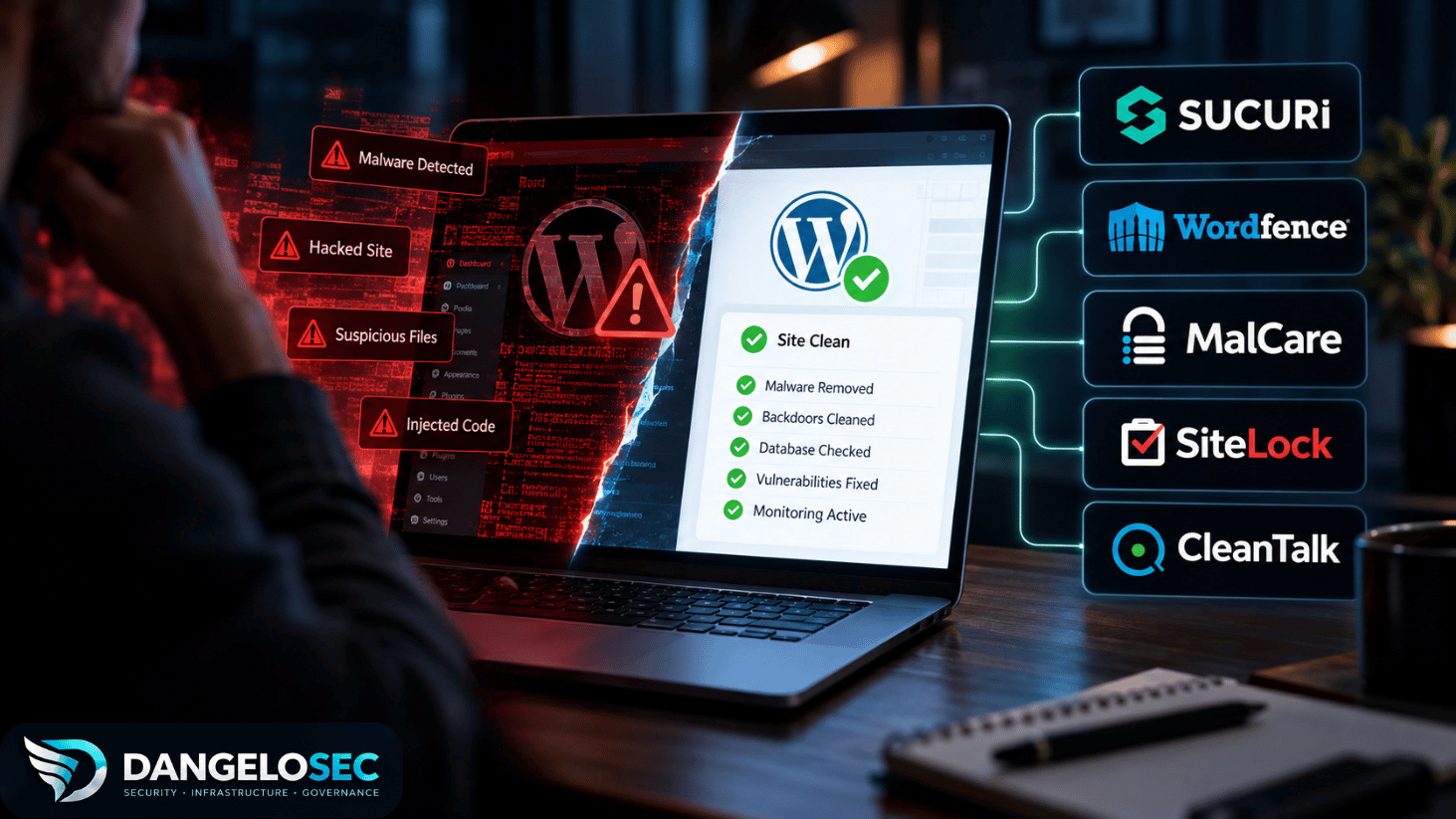
A malware scanner telling you that your WordPress site is infected is useful. But it leaves you with the harder question: who — or what — is actually going to clean it?
That distinction gets lost surprisingly quickly when you evaluate a wordpress malware removal service or security plugin. A security plugin, an automated malware cleaner, and a service that puts an analyst on a compromised website can all appear in the same search results.
They are not equivalent.
If I were responsible for a compromised production site, I wouldn’t start by counting firewall features. I’d want to know what happens after the infection is found.
Does software attempt the cleanup automatically? Does a human analyst inspect the site? Are database injections and backdoors part of the remediation? What happens if the malware returns? And once the site is clean, is anything being done about the weakness that allowed the compromise in the first place?
Those are the questions I used for this comparison.
I reviewed the published remediation processes, cleanup scope, response commitments, ongoing protection, and current pricing for Sucuri, Wordfence, MalCare, SiteLock, and CleanTalk.
I did not deliberately infect a WordPress installation and run each provider through a controlled malware-removal test. So this isn’t presented as a hands-on benchmark. Response times and remediation capabilities attributed to a provider are based on that provider’s current published service information, not independently measured performance.
That distinction matters too.
The Short Version
Before getting into each service, here’s how I would frame the decision.
| Service | How remediation works | Human involvement | Current relevant price | Where it makes sense |
|---|---|---|---|---|
| Sucuri | Automated tools + expert remediation | Yes | $98 one-time; Platform from $229/yr | You want someone responsible for cleanup, with optional ongoing protection |
| Wordfence Care | Expert incident response | Yes | $590/yr | You want hands-on, WordPress-specific assistance |
| MalCare Repair | Automated cleanup + expert escalation | Yes | $299/yr | You want to initiate cleanup quickly yourself |
| SiteLock | Automated remediation + expert services | Depends on service | From $19.99/mo | You prioritize continuous automated remediation |
| CleanTalk | Expert-driven cleanup | Yes | $119 per WordPress site | You need a lower-cost professional cleanup option |
Those prices aren’t directly comparable because the services themselves aren’t directly comparable. That’s the first thing to understand.
A Scanner Is Not a Malware Removal Service
Suppose you receive a Google warning, your hosting provider suspends the account, or customers start reporting strange redirects.
You run a security scanner. It reports infected files. You haven’t necessarily solved anything.
Scanning is detection. The next question is remediation.
An automated cleaner may be able to identify known malicious code and remove it without waiting for a technician. That’s potentially useful when time matters and the infection is within the tool’s ability to remediate safely.
Human-led remediation is different. An analyst can investigate the affected environment, evaluate suspicious changes in context, deal with less straightforward compromises, and potentially look beyond the immediately detected payload.
Then there’s post-incident protection: scanning, firewalls, vulnerability management, hardening, monitoring, and the other controls intended to make another compromise less likely.
A product can provide one, two, or all three of these capabilities. That’s why comparing them purely by subscription price is misleading.
A $100 scanner and a $500 incident-response service may both be sold under the label “WordPress security,” but they are solving different problems.
For this article, I’m primarily interested in the second problem: your WordPress site is already compromised. What happens next?
Sucuri: When You Want Remediation Handled for You
Sucuri is interesting here because malware removal isn’t treated simply as a feature of a WordPress plugin.
Its Website Security Platform includes malware and hack removal by its security team, with unlimited manual cleanups during the subscription period. Current Platform pricing starts at $229 per year for Basic, $339 for Pro, and $549 for Business.
The differences between those tiers matter less to me than the remediation model itself.
Sucuri describes a process where the customer submits a malware-removal request and provides appropriate site or hosting access. The service establishes a baseline, backs up affected files before making changes, performs cleanup, and provides post-cleanup information. Sucuri says its process uses both automated tooling and security analysts rather than relying exclusively on an automatic cleaner.
That’s an important distinction if you’re responsible for a business website.
When a production system has been compromised, there are situations where I’d rather hand the remediation problem to someone whose job is to clean compromised sites than spend several hours determining whether an automated tool really removed everything it found.
That doesn’t automatically make Sucuri the right choice.
A personal blog that can tolerate downtime presents a very different risk calculation from a WooCommerce store losing transactions every hour.
The annual Platform isn’t your only option
Sucuri currently advertises a $98 one-time emergency cleanup for one website.
It includes manual malware and hack removal, backup before changes, a post-cleanup report, assistance with blocklist warnings, and a published 30-hour first-response estimate. No ongoing subscription is required.
That makes the decision more interesting.
If I had one infected site and already had a security architecture I was comfortable with, I’d question whether I needed to buy another annual security platform just to solve today’s incident.
A one-time cleanup may be the more rational purchase.
On the other hand, if the incident exposed the fact that nobody was really monitoring or protecting the site, buying cleanup without addressing what comes next may simply return the environment to the same security posture it had before the compromise.
That’s where Sucuri’s annual Platform becomes more relevant. The Platform combines remediation with ongoing scanning and a web application firewall. Current published first-response estimates for malware-removal tickets are 30 hours on Basic, 12 hours on Pro, and six hours on Business; Sucuri notes that actual resolution time can vary with complexity and ticket volume.
Notice the distinction: response time isn’t the same as time-to-resolution.
That’s worth checking whenever a security provider advertises an SLA.
Where Sucuri fits
I’d put Sucuri on the shortlist when the requirement is: “My site is compromised and I want a security team involved in getting it clean.”
The annual Platform becomes more compelling when the requirement changes to: “…and I also need an ongoing security layer after the incident.”
View Sucuri Website Security Plans →
Wordfence Care: When You Want WordPress-Specific Incident Response
There’s an easy mistake to make when looking at Wordfence: assuming that buying Wordfence Premium is the same thing as buying professional malware remediation.
It isn’t.
Wordfence currently lists Premium at $149 per year. That gets you its firewall, malware scanner, real-time rules and signatures, and other security capabilities.
The service I’m interested in for this comparison is Wordfence Care, currently $590 per year.
Care adds hands-on support from a dedicated analyst and incident-response services including investigation, malware removal, blocklist removal, SEO cleanup, and an after-action report. Continued monitoring and a yearly security audit are also part of the offering.
That’s a fundamentally different proposition from buying a security plugin and responding to alerts yourself.
For a company where WordPress is important enough to justify dedicated assistance but not important enough to maintain internal WordPress security expertise, I can see the operational logic.
The price is where the decision becomes contextual.
At $590 per year, Wordfence Care is considerably more expensive than a one-time cleanup. If you have a relatively low-value site and one isolated incident, paying for an annual analyst-supported service may be difficult to justify.
If the site generates leads or revenue and downtime creates a measurable business cost, the calculation changes.
Wordfence also offers Response at $1,250 per year, with published 24/7/365 incident response, a one-hour response time, and a 24-hour time-to-resolution.
That’s not something every WordPress site needs.
But it’s a good example of why “how much does malware removal cost?” doesn’t have a particularly useful universal answer.
You’re not just paying for malware removal. You’re potentially paying for how quickly another organization commits to becoming involved when something goes wrong.
Where Wordfence Care fits
I’d look more closely at Care if I specifically wanted a WordPress-focused security stack with a human analyst involved when an incident occurs.
I wouldn’t buy Care merely because I wanted a malware scanner. Wordfence has cheaper products for that problem.
And if I only needed someone to clean one infected site today, I’d compare its annual cost carefully against the one-time remediation options before committing.
MalCare: When You Want Automation to Do the First Job
MalCare approaches the same problem from a different direction.
This is where comparing feature tables alone can hide an important architectural difference.
With MalCare Repair, the remediation process is designed to start automatically from the dashboard. MalCare currently describes Repair as including instant malware cleanup, scans every 12 hours, a post-cleanup report, real-time firewall protection, and a 24-hour security-expert response SLA. The current list price is $299 per year for one site.
That changes the workflow.
You don’t necessarily open a ticket and wait for an analyst to perform the initial cleanup. The automated system can begin remediation, while expert support exists behind it.
For some environments, that’s attractive.
If I were managing several WordPress sites and malware remediation were becoming an operational workflow rather than a rare emergency, I’d put considerably more weight on automation. Waiting for a human to perform every routine action doesn’t necessarily scale well.
But automation and expert remediation aren’t interchangeable.
There are incidents where I would be perfectly comfortable allowing a mature security product to remediate known malicious code automatically. There are others where I’d want someone investigating why the compromise occurred and whether what was detected represents the full scope of the incident.
MalCare itself reflects that distinction in its product tiers.
Its $99 Protect plan is prevention-oriented and explicitly doesn’t include malware cleanup for an already hacked site. Repair adds cleanup and a 24-hour expert SLA. Fortify, currently $499 per year, adds hourly scanning, unlimited manual security fixes, and a six-hour expert response time.
That progression makes sense to me: you pay more not simply for “more security features,” but for faster detection and greater remediation involvement.
Where MalCare fits
If I wanted the ability to start cleanup immediately without making a human analyst the first step in every incident, MalCare Repair would deserve a closer look.
For a high-value WooCommerce site where automated remediation wasn’t enough and I wanted faster human escalation, Fortify is the more relevant comparison.
And if the site isn’t currently infected at all, Repair may be solving a problem you don’t yet have.
SiteLock: Pay Attention to When the Infection Happened
SiteLock is another automation-heavy option, but there’s a detail in its pricing that I’d want to catch before buying anything.
Its Basic plan currently starts at $19.99 per month and includes unlimited automatic malware removal, daily site scanning, and backups.
It does not include SiteLock’s expert-team removal.
Pro ($29.99/month) and Business ($44.99/month) add expert-team removal alongside additional controls such as code and database scanning, vulnerability patching, a CDN, and WAF capabilities.
So far, that sounds straightforward.
Then comes the important part.
SiteLock states that expert-team removal in its Pro and Business plans excludes pre-existing infections. A site that is already compromised requires its SiteLock 911 service for that expert remediation.
That’s exactly the sort of detail that gets missed when someone searches for “malware removal,” sees a security plan advertising malware removal, and assumes it applies to the problem they already have.
SiteLock’s hacked-site service is much more directly aligned with that situation. The company says it combines automated and expert manual cleaning, with remediation covering malware, SEO spam, backdoors, and blocklist warnings. It currently advertises response within six hours of an order and says most sites are cleaned within four to six hours after server access is available. Those are SiteLock’s published service claims, not performance figures I’ve independently tested.
Where SiteLock fits
I find SiteLock more compelling as an ongoing automated-remediation model than as a simple answer to “who should clean my hacked site?”
If the site is already compromised, I’d make sure I was buying the hacked-site service I actually needed rather than assuming a standard subscription covered the existing incident.
That sounds obvious when written out.
During an incident, when someone is under pressure to get a website back online, it’s exactly the kind of purchasing detail that’s easy to overlook.
CleanTalk: A Lower-Cost Expert Cleanup Changes the Calculation
CleanTalk is the option that makes me question the assumption that professional cleanup necessarily requires a large annual subscription.
Its current WordPress malware-removal service costs $119 per site and is explicitly expert-driven. CleanTalk says its process covers site files, frontend infections, known vulnerabilities, database tables and cron tasks, followed by a security audit. It also includes a one-year Security plugin license and 30 days of help with reinfection.
That’s quite a different purchase from Wordfence Care or MalCare Fortify.
And that’s fine.
A small business with one compromised brochure site doesn’t necessarily need the same incident-response model as an ecommerce operation where every hour offline has a direct revenue cost.
CleanTalk says its specialists can work against a live or staging version of the site and describes the cleanup as including malicious code, bad links, database inspection and investigation of cron tasks that could allow malware to return. Its published price is $119 for WordPress, compared with $199 for other CMS platforms.
The company also says it generally completes the process within a day, but again, I’d treat that as the provider’s published expectation rather than a guarantee established by independent testing.
Where CleanTalk fits
If budget were a major constraint and I wanted a person involved rather than relying only on automated cleanup, this is the option I’d investigate more closely.
The trade-off is that you’re not buying the same broader incident-response relationship as some of the more expensive annual services.
That may be a limitation. Or it may be exactly why the service makes economic sense.
What About Full WordPress Management?
There’s one more category worth separating from everything above.
Some businesses don’t actually want a malware-removal provider. They want someone else to operate WordPress.
WP Buffs is an example. Its Perform plan currently costs $239 per month and includes complete malware removal alongside ongoing WordPress maintenance and other site-management services.
That’s potentially valuable, but it’s solving a much broader problem.
If I had a single compromised site and competent internal or hosting support for everything else, I wouldn’t subscribe to a $239-per-month management service just to remove malware.
If nobody in the organization wanted responsibility for WordPress maintenance, updates, performance, backups, and security going forward, the economics could look very different.
Again, context matters more than the feature count.
One-Time Cleanup or Ongoing Security?
This is probably the most useful decision to make before comparing vendors.
If your site is already compromised but otherwise well managed, a one-time cleanup may be enough to address the immediate incident.
But I’d be uncomfortable treating “malware removed” as synonymous with “incident resolved.”
The next question should be: how did it get there?
Maybe it was a vulnerable plugin. Maybe credentials were compromised. Maybe an unauthorized administrator account exists. Maybe a backdoor survived an earlier cleanup. Maybe the site hadn’t been patched for months.
The malware you can see is the result. It isn’t necessarily the original security failure.
This is why I wouldn’t automatically choose the cheapest cleanup and move on.
At minimum, after remediation I’d want to understand what was changed, whether vulnerable software was identified, what credentials need to be rotated, whether unauthorized users or persistence mechanisms existed, and what monitoring is going to tell me if the problem returns.
For a small brochure site, you may be comfortable handling those steps yourself after paying someone to clean the infection.
For an ecommerce site, membership platform, or revenue-generating WordPress installation, ongoing monitoring and a defined incident-response path may be worth substantially more.
The right answer depends on the business impact of the site being compromised, not simply on how much the security product costs.
How I’d Choose Between These Services
I wouldn’t start with the vendor. I’d start with four questions.
Is the site compromised right now? If yes, eliminate products that only detect or protect unless you also have a separate remediation path.
How expensive is downtime? A company losing thousands of dollars in orders has a different tolerance for response time than a personal blog.
Do I want software or a person making the remediation decision? Automation can be fast and scalable. Human analysis becomes more valuable as the incident becomes ambiguous or business-critical.
Who owns the problem after the site is clean? If the answer is “nobody,” I’d be much more interested in an ongoing security service than a one-time cleanup — the same ownership gap that shows up in almost every IT governance failure, not just this one.
That framework gets me much closer to the right purchase than a five-star rating ever could.
What I’d Do Immediately With a Compromised WordPress Site
Before aggressively deleting suspicious files, I’d preserve the ability to understand and recover the environment.
That means making sure a usable backup or snapshot exists where possible, documenting the symptoms, and preserving access to hosting, WordPress administration, logs, and other evidence that may help determine what happened.
Then I’d establish the scope.
A redirect visible in a browser may be only one symptom. Malware can exist in WordPress files, plugins, themes, database records, scheduled tasks, unauthorized accounts, or other persistence mechanisms.
After cleanup, I would not consider the job finished until the likely entry point had at least been investigated.
That usually means reviewing vulnerable or outdated components, administrator accounts, credentials, file changes, and relevant logs; updating affected software; rotating credentials where appropriate; and putting monitoring in place.
If the website processes payments, personal information, or other sensitive data, the issue can also become larger than a WordPress cleanup exercise. Depending on what was accessed and where the organization operates, there may be incident-response, contractual, payment-industry, or legal obligations to consider.
That’s another reason I don’t like reducing this decision to “which malware plugin should I buy?”
Sometimes you’re fixing WordPress. Sometimes you’re responding to a security incident. Those are not always the same thing.
FAQ
What is the difference between a WordPress malware scanner and a malware removal service?
A scanner identifies suspicious or malicious content. A removal service attempts to remediate the compromised site.
Some products provide both capabilities. Others may detect malware but require a different plan or service before they’ll remove it.
Always verify the remediation entitlement rather than assuming “malware scanning” includes cleanup.
Can malware be removed automatically from WordPress?
Yes. Products such as MalCare and SiteLock provide automated-remediation capabilities under qualifying services. MalCare, for example, currently allows automated cleanup to be initiated from its dashboard under its remediation plans.
Whether automated cleanup is sufficient for a particular compromise is a different question. More complex incidents may justify human investigation or remediation.
Does Wordfence Premium include professional malware removal?
Wordfence currently separates Premium from its analyst-assisted incident-response services. Wordfence Care and Response explicitly include investigation and malware removal by its security team.
If professional remediation is the requirement, compare those services rather than assuming the $149 Premium subscription provides the same thing.
Does Sucuri manually remove malware?
Sucuri says its Platform plans include unlimited manual malware cleanups by its security experts and that its remediation process combines automated tooling with analyst involvement.
It also currently advertises a separate one-time cleanup service for $98.
How much does professional WordPress malware removal cost?
There isn’t a useful single average because the service models differ considerably.
At the time of this review, examples range from Sucuri’s $98 one-time cleanup and CleanTalk’s $119 WordPress cleanup to $590 per year for Wordfence Care and higher-priced incident-response services.
Compare what happens during and after the incident rather than comparing the headline prices alone.
Can malware come back after a site has been cleaned?
Yes.
Removing malicious code doesn’t necessarily remove the weakness that allowed the attacker in. Vulnerable software, stolen credentials, unauthorized accounts, persistence mechanisms, or other weaknesses can result in reinfection if the underlying issue remains.
A cleanup should therefore be followed by investigation and appropriate hardening.
The Decision Isn’t Really About “the Best Malware Remover”
After comparing these services, I don’t think a universal winner would be particularly useful.
If I had a compromised production site and wanted another team responsible for the remediation work, I’d focus on the expert-led services and their response commitments.
If I managed several WordPress sites and wanted remediation to happen with less manual intervention, I’d give automation considerably more weight.
If this were a small site with limited business impact, I’d have difficulty justifying a high annual incident-response subscription before looking at the one-time cleanup options.
And if the site weren’t infected at all, I’d be having a different conversation — about prevention, monitoring, and vulnerability management rather than malware removal.
That’s the important distinction.
Don’t buy a scanner when you need cleanup. Don’t buy an incident-response service when all you need is prevention. And don’t assume removing the visible malware means you’ve addressed the reason it got there.
Figure out which of those problems you’re actually trying to solve. Then choose the service.