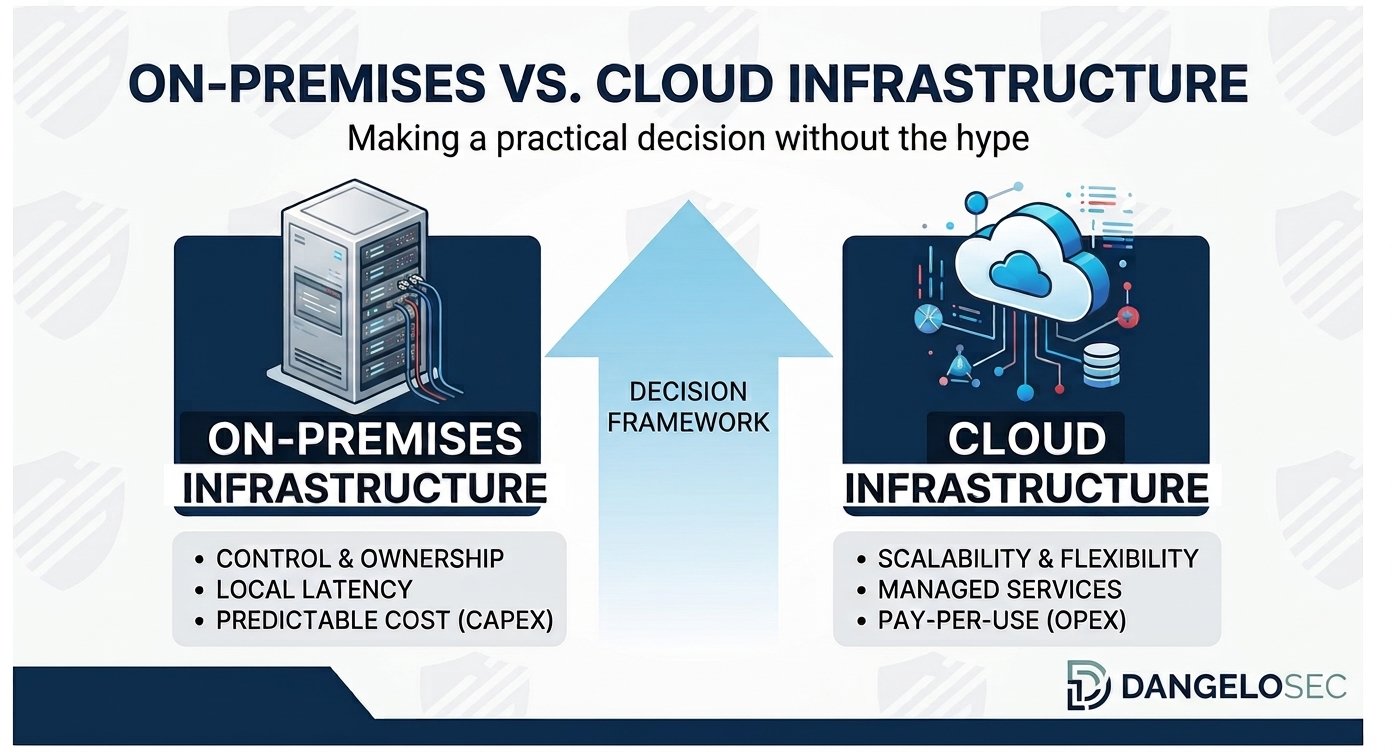
A practical framework for deciding where your workloads should live — based on business requirements, security, performance, cost, and operational reality.
Moving to the Cloud Is Not a Strategy
I have worked on both sides of this decision.
I’ve managed environments where every infrastructure investment had to be justified carefully before getting budget approval. I’ve also worked in organizations where the challenge wasn’t obtaining the budget, but making sure the technology investment was actually appropriate for the business.
I’ve seen companies keep workloads on-premises because “that’s how we’ve always done it.” I’ve also seen organizations move workloads to the cloud because they believed cloud automatically meant modernization.
Neither approach is necessarily right.
The real question isn’t: “Should we move to the cloud?”
The better question is: “Where does each workload make the most sense?”
That distinction changes everything.
Cloud can provide scalability, availability, geographic flexibility, and access to managed services. On-premises infrastructure can provide control, predictable performance, and sometimes a more appropriate cost structure for specific workloads. And hybrid infrastructure can combine both.
Microsoft’s current Cloud Adoption Framework reflects this workload-by-workload approach: organizations should establish a strategy, inventory and assess workloads, choose an appropriate migration strategy, and then govern, secure, and manage the resulting environment.
After working through infrastructure modernization projects myself, I’ve learned that cloud adoption is an architectural and business decision — not a technology trend to follow blindly.
On-Premises vs. Cloud: What Are We Actually Deciding?
At a high level, organizations generally have three architectural options.
On-Premises
Infrastructure is hosted and managed within facilities controlled by the organization. You own or control servers, storage, networking, virtualization, physical infrastructure, operating systems, and many aspects of security and availability.
This provides significant control, but also significant responsibility.
Public Cloud
Infrastructure and services are provided by a cloud provider such as Microsoft Azure, Amazon Web Services, or Google Cloud. Instead of purchasing and operating physical infrastructure, organizations consume services from the provider.
This can provide elasticity, rapid provisioning, global reach, managed services, and reduced dependence on physical infrastructure. But it also introduces different operational, financial, and connectivity considerations.
Hybrid Cloud
Some workloads remain on-premises while others run in the cloud. This can be intentional rather than transitional. A hybrid architecture may be the best answer when workloads have different requirements.
For example, a company may keep a latency-sensitive workload on-premises while moving identity, collaboration, backup, disaster recovery, or selected applications to the cloud.
The important point is that hybrid does not necessarily mean the organization failed to migrate. It can mean the architecture was designed around the workloads rather than around a slogan.
Why “Cloud First” Can Be the Wrong Strategy
“Cloud first” sounds modern. But a strategy that begins with the technology rather than the business problem can create unnecessary complexity.
Consider an application with predictable usage, stable capacity requirements, significant data volumes, low latency requirements, specialized hardware, and an application architecture that is difficult to modernize.
Moving it to the cloud may still be the right decision. But it might not be. The important question is why you are moving it.
If the answer is “because everything should be in the cloud” — that’s not an architecture strategy. It’s a technology preference. And technology preferences can become expensive.
Moving a Bad Architecture to the Cloud Doesn’t Make It Modern
One of the most important lessons I’ve learned is that migration and modernization are not the same thing.
You can take an old application, move its virtual machine to Azure, and technically complete a cloud migration. But the application may still have legacy dependencies, inefficient storage, poor security, manual processes, limited observability, and outdated architecture.
The workload is now in the cloud. But that doesn’t automatically make it cloud-native, efficient, secure, or cost-effective.
Microsoft’s current migration guidance explicitly distinguishes between strategies such as rehosting, replatforming, refactoring, rearchitecting, rebuilding, replacing, retaining, and retiring workloads. The correct strategy depends on the workload and the business driver.
This is why I prefer the question “what should we change about this workload?” before “where should we put it?”
Why Keeping Everything On-Premises Can Also Be Expensive
The opposite mistake is assuming that keeping infrastructure on-premises is automatically cheaper because the organization already owns the hardware. It isn’t.
On-premises infrastructure has costs that are sometimes hidden because they don’t arrive as a monthly cloud bill. You need to consider hardware refresh cycles, storage expansion, servers, network equipment, backup infrastructure, power, cooling, physical space, warranties, software licensing, security infrastructure, monitoring, disaster recovery, maintenance, technical staff, and spare capacity.
The server may have already been purchased. But someone still has to operate it. And eventually, it has to be replaced.
This is why comparing “our server costs $X per year” with “our cloud bill is $Y per year” is rarely an accurate total-cost comparison.
The Eight Questions I Would Ask Before Migrating Anything
Before deciding where a workload should live, I would ask eight questions.
1. What problem are we trying to solve?
Is the problem hardware capacity, availability, remote access, scalability, performance, security, disaster recovery, operational complexity, or business expansion? If you cannot clearly define the problem, you probably aren’t ready to define the solution.
2. How critical is the workload?
Not every workload deserves the same architecture. Is it business-critical? What happens if it becomes unavailable? How much downtime can the business tolerate? How much data can the organization afford to lose? This determines requirements for availability, backup, disaster recovery, and recovery time.
3. How predictable is demand?
Some workloads have very predictable consumption. Others experience significant peaks. Cloud elasticity can be extremely valuable when demand changes rapidly. But if a workload runs at approximately the same capacity 24/7, the economics can be very different.
4. What are the security and compliance requirements?
Consider data sensitivity, identity, access control, encryption, logging, retention, regulatory requirements, geographic considerations, and vulnerability management. Cloud does not eliminate security responsibility. It changes how that responsibility is implemented.
5. How sensitive is the workload to latency?
This is one of the questions organizations sometimes underestimate. An application may technically work from the cloud while providing a poor user experience. Consider latency, bandwidth, packet loss, geographic location, network architecture, application behavior, and storage performance. Moving compute or storage farther away from users can change application behavior.
6. What is the real cost?
Don’t calculate only compute plus storage. Include networking, backups, snapshots, security, monitoring, licensing, support, data transfer, operational labor, optimization, and redundancy.
7. Does the team have the required skills?
Cloud changes the skill set required from infrastructure professionals. Instead of managing only servers, storage, switches, and firewalls, teams may also need to understand identity, cloud networking, infrastructure as code, cloud security, cost management, automation, monitoring, and cloud governance. Cloud can reduce the need to manage physical infrastructure. It does not eliminate the need for skilled infrastructure professionals.
8. What happens if the cloud or network connection becomes unavailable?
This question is particularly important. A cloud workload is dependent on connectivity. That means your architecture must consider internet availability, WAN redundancy, DNS, routing, firewalls, VPN, identity, and local dependencies. Cloud doesn’t eliminate infrastructure. It changes where the infrastructure exists and which dependencies become critical.
The Cost Question: Cloud Is Not the Same as Cheap
One of the biggest misconceptions about cloud is “cloud is cheaper because you don’t buy servers.” Sometimes it is. Sometimes it isn’t.
Cloud introduces a consumption-based financial model that requires active management. A workload can become expensive through oversized compute, unnecessary storage, excessive snapshots, redundant resources, unused resources, poor architecture, inefficient data transfer, and unnecessary high-performance tiers.
This is where FinOps becomes important. Cloud cost management should not happen only when the finance department receives an unexpectedly large invoice. It should be part of architecture.
The Azure Well-Architected Framework currently treats cost optimization as one of its five architectural pillars, alongside reliability, security, operational excellence, and performance efficiency. That is the right mindset.
Cost is an architectural characteristic, not merely a finance problem.
Security: Is Cloud More Secure?
This question doesn’t have a simple yes or no answer.
Cloud providers operate enormous security infrastructures. But the security of your workload still depends heavily on how you configure and operate it.
Consider identity, MFA, privileged access, network segmentation, encryption, security policies, logging, backup, vulnerability management, monitoring, and configuration management.
A cloud provider can secure the underlying platform. You still need to secure your workload.
This is why I don’t believe “cloud is more secure” is a useful statement by itself. A better question is: “can we design and operate this workload more securely in this environment?” That is an architectural question — and it leads naturally into the next area we will explore at DangeloSec: cloud security and governance.
Performance and Connectivity: The Part Everyone Underestimates
One of the most important lessons from infrastructure modernization is that cloud does not eliminate network dependency. In many situations, it increases it.
If your users are accessing services in the cloud, the quality of your network becomes part of the application’s user experience. This makes internet connectivity, WAN architecture, DNS, routing, firewall policies, VPN, bandwidth, and latency important architectural considerations.
This is also where the lessons from our firewall and SD-WAN migration become relevant. Security and connectivity cannot always be treated as independent projects.
A Real-World Example: Moving a File Server to Azure
I touched on part of this migration in my guide to modern IT infrastructure. Here’s the deeper architectural side of the same story — the part that’s really about how to decide where a workload belongs, not just how the migration happened.
One of the most significant cloud infrastructure projects I worked on involved a file server environment. At first glance, it looked like a relatively straightforward modernization project. It wasn’t.
The organization had a local file server that synchronized data with Azure using Azure File Sync. The architecture provided a bridge between the local environment and Azure Files, designed to use an Azure file share as a central hub while allowing Windows Server environments to act as local caches — with cloud tiering keeping frequently accessed files locally while moving less frequently accessed content to Azure Files.
On paper, that architecture made sense. In our environment, however, we began experiencing problems.
The Problem With Our File Server Architecture
The local infrastructure was aging. The server was becoming a bottleneck. Storage capacity was becoming a concern. The synchronization process introduced complexity. We were also dealing with an older storage architecture that created additional reliability and performance concerns.
The local environment was effectively sitting between our users and the cloud data. That meant we had dependencies in multiple places: Users → Local File Server → Azure File Sync → Azure Storage.
Each component had to work correctly. And when something didn’t, troubleshooting became considerably more complicated.
Then the Incident Happened
Eventually, we experienced a critical storage failure. We lost the storage environment and the local backup.
Fortunately, we were already evaluating a move toward a fully cloud-based model. The incident changed the urgency. What had been an infrastructure modernization project became a business continuity problem.
We decided to accelerate the migration. The plan was essentially: Saturday and Sunday, execute the migration; Monday, users need to work normally.
There was no room for a theoretical architecture. The solution had to work.
We Had to Rethink the Architecture
Instead of continuing to maintain synchronization between the local server and Azure, we decided to remove the local dependency. The target architecture became: Users → Network / Security → Azure Files.
The local file server would no longer be the authoritative storage layer. The data would live in the cloud.
This was a significant architectural change. And it also exposed one of the biggest misconceptions about cloud migration: removing infrastructure does not necessarily remove complexity. It moves the complexity somewhere else.
The First Problem: Performance
After moving the users to the cloud-based architecture, we initially experienced performance problems. The most sensitive users were our engineering teams. They worked with CAD software and project files, often involving large and complex datasets.
For an office productivity workload, a few seconds of additional latency may be tolerable. For engineering workflows involving large files, repeated reads and writes, and application-specific behavior, the experience can be very different.
We had to investigate.
We Didn’t Blame the Cloud
This is an important part of the story. It would have been easy to conclude “Azure is slow.” But that would not have been useful.
We had to determine where the bottleneck actually was. We worked with Microsoft engineers, our local cloud partner, security specialists, infrastructure professionals, and our technical team.
We went through several attempts and adjustments. We investigated the interaction between the storage service, network, firewall policies, and user workloads. Eventually, we made adjustments to both the network/security configuration and the Azure Files environment.
Microsoft’s current documentation also emphasizes that Azure Files performance depends on factors such as region placement, workload characteristics, throughput, IOPS, network limitations, client capabilities, and SMB behavior — with SMB Multichannel being one of the technologies available for supported SSD Azure file shares to improve throughput and resiliency.
The lesson was clear: cloud performance is an architecture problem, not simply a cloud-provider problem.
The Outcome Was Better Than Simply Replacing the Server
Once the environment was stabilized, the architectural benefits became much clearer. We no longer depended on the old local file server as the primary storage layer.
The organization gained:
- Greater availability — the data was no longer dependent on the physical file server in the office.
- Better remote access — users could work with the data from outside the traditional office environment.
- Better support for home office — particularly valuable for managers and distributed workers.
- Reduced dependence on local infrastructure — the old server and storage architecture no longer represented the same single point of dependency.
- Improved security posture — the architecture could be managed with cloud security controls and centralized governance.
- Better scalability — storage capacity could evolve with the business rather than requiring another physical storage expansion.
I also consider this project an important lesson in vendor management more broadly: when a technology problem becomes significant, document it, escalate it, work with the vendor, and understand your contractual position. Don’t assume the only possible outcome is absorbing the loss quietly.
What the File Server Project Taught Me About Cloud
Looking back, the most important lesson wasn’t “move file servers to Azure.” That would be the wrong conclusion.
The real lesson was: understand the workload before deciding where it belongs.
Our file server environment had specific characteristics: engineering users, large project files, remote users, security requirements, availability requirements, aging infrastructure, storage constraints, and network dependencies. The architecture had to address all of those simultaneously.
Hybrid Cloud Is Often the Pragmatic Answer
There is a tendency to think of cloud adoption as a binary decision — cloud or on-premises. In practice, many organizations need something more nuanced.
One workload may belong in the cloud. Another may remain on-premises. Another may use a hybrid architecture. Microsoft’s current architecture guidance explicitly recognizes different migration strategies for different workloads rather than prescribing a single approach for everything. That makes sense.
Imagine an organization with a legacy ERP, cloud collaboration tools, on-premises manufacturing systems, cloud backup, Azure-hosted applications, local network services, cloud identity, and specialized engineering workloads. There is no reason to force all of those into the same architecture.
A Practical On-Premises vs. Cloud Decision Matrix
The following is a directional framework rather than a universal rule.
| Factor | On-Premises | Cloud | Hybrid |
|---|---|---|---|
| Predictable workload | Strong fit | Possible | Strong fit |
| Elastic demand | Limited | Strong | Strong |
| Physical control | Strong | Limited | Medium |
| Rapid deployment | Limited | Strong | Strong |
| Hardware specialization | Strong | Depends | Strong |
| Remote accessibility | Medium | Strong | Strong |
| Scalability | Medium | Strong | Strong |
| Physical infrastructure responsibility | High | Low | Medium |
| Connectivity dependency | Lower | Higher | Higher |
| Existing infrastructure investment | Strong | May be redundant | Strong |
| Legacy applications | Often easier | Depends | Often strong |
| Cloud-native applications | Limited benefit | Strong | Strong |
| Operational complexity | High | Different | Potentially high |
| Cost optimization effort | Medium | High | High |
The important word here is: depends. Architecture decisions should be based on workload characteristics.
When I Would Consider Keeping a Workload On-Premises
I would seriously evaluate on-premises when a workload has predictable and stable demand, specialized hardware requirements, extremely low latency requirements, applications that are difficult to migrate, significant existing infrastructure investment, limited cloud connectivity, strong reasons for physical control, or workloads where cloud economics don’t make sense.
That doesn’t mean “never migrate.” It means: don’t migrate simply because everyone else is migrating.
When I Would Consider Cloud
Cloud becomes particularly attractive when an organization needs rapid scalability, global or distributed access, flexible capacity, cloud-native services, disaster recovery, rapid provisioning, reduced physical infrastructure dependency, managed services, or integration with other cloud workloads.
But the workload still needs to be designed correctly.
When Hybrid Makes the Most Sense
For many SMB and mid-sized organizations, hybrid architecture can be the most pragmatic option. Not because the organization lacks ambition. Because different workloads have different requirements.
Hybrid can allow an organization to modernize gradually, protect existing investments, migrate high-value workloads first, reduce risk, learn cloud operations, improve security, avoid unnecessary migration, and maintain business continuity.
The objective should not be “get everything into the cloud.” The objective should be: put each workload in the architecture where it creates the most business value at an acceptable level of risk and cost.
The Five Dimensions I Would Use to Make the Decision
If I had to reduce the entire decision to five dimensions, I would use:
- Business — what does the business need?
- Workload — how does the application or service actually behave?
- Security — what risks and compliance requirements exist?
- Economics — what is the real total cost over several years?
- Operations — can your team actually manage the resulting architecture?
Only after answering those questions would I choose the technology.
Don’t Forget the People
This is often ignored in cloud migration discussions. Your architecture may change dramatically. Your team needs to change with it.
A traditional infrastructure professional may be excellent at Windows Server, storage, networking, virtualization, and firewalls. Cloud environments add new dimensions: identity, cloud networking, automation, infrastructure as code, cloud security, cost optimization, observability, and governance.
Cloud adoption is therefore also a people and capability transformation. A company that migrates infrastructure without developing the team can simply replace one operational problem with another.
Cloud Migration Should Be an Evolution, Not a Race
The best cloud migration I’ve seen wasn’t necessarily the fastest. It was the one where the organization understood why it was migrating, what it was migrating, what should remain, what risks existed, what the users needed, how much it would cost, and how the environment would be governed afterward.
The Microsoft Cloud Adoption Framework similarly treats adoption as a lifecycle involving strategy, planning, readiness, migration, modernization, governance, security, and management. That is much closer to reality than “let’s move everything to Azure this year.”
What I Would Do Differently Today
If I were starting the same type of project today, I would still begin with the workload. But I would put even more emphasis on:
FinOps from the beginning — not after receiving the first unexpected cloud bill.
Performance testing — especially for workloads involving large files, databases, engineering applications, and latency-sensitive systems.
Network architecture — cloud connectivity should be treated as part of the workload design.
Security architecture — identity, segmentation, access, logging, and monitoring should be designed before migration.
Governance — someone must own the cloud environment after migration.
Skills — the team needs a learning path before the architecture becomes dependent on skills nobody has.
The Real Question Isn’t “Cloud or On-Prem?”
After years working with infrastructure, I don’t think the most useful question is “is cloud better than on-premises?” It is too simplistic.
The better question is: “which architecture gives this workload the best balance of business value, security, performance, reliability, cost, and operational sustainability?”
Sometimes the answer will be Azure. Sometimes it will be AWS. Sometimes it will be on-premises. Sometimes it will be hybrid. And sometimes the correct answer is to retire the workload completely.
The technology should follow the decision. Not the other way around.
Key Takeaways
- Cloud is not a strategy by itself.
- Don’t migrate a workload until you understand why you are migrating it.
- Moving an old architecture to the cloud doesn’t automatically modernize it.
- On-premises infrastructure has costs that don’t always appear on a monthly invoice.
- Cloud costs require active governance and optimization.
- Cloud security still depends heavily on architecture and configuration.
- Network performance can become a critical dependency after migration.
- File-intensive and latency-sensitive workloads require particular attention.
- Hybrid architecture can be a strategic choice, not a failure to modernize.
- Different workloads can and should have different architectural decisions.
- Your team’s skills must evolve alongside the infrastructure.
- The goal isn’t to maximize cloud adoption. The goal is to maximize business value while managing risk and cost.
Final Thought
Technology trends come and go. On-premises infrastructure isn’t going to disappear overnight. Cloud isn’t going to solve every infrastructure problem. And AI won’t eliminate the need for people who understand how systems actually work.
The fundamentals remain: architecture, security, performance, governance, cost, people.
Those fundamentals determine whether a technology investment becomes an advantage or simply another layer of complexity.
The best infrastructure decision is rarely the most fashionable one. It is the one that makes sense for the business.
What’s Next at DangeloSec?
This article is part of our practical series about modern IT infrastructure, cybersecurity, cloud, governance, and technology decision-making for small and mid-sized organizations.
Start with: The Complete Guide to Modern IT Infrastructure
Then explore the pillar guide: Cloud Infrastructure Strategy for SMBs: What to Move, What to Keep, and How to Decide
Then explore: How to Replace a Business Firewall Without Creating a Security Mess
Coming next, we’ll go deeper into the practical side of cloud adoption: How to Plan a Cloud Migration Without Downtime — workload assessment, dependencies, migration planning, testing, rollback strategies, security, network architecture, and the operational decisions that determine whether a migration succeeds.