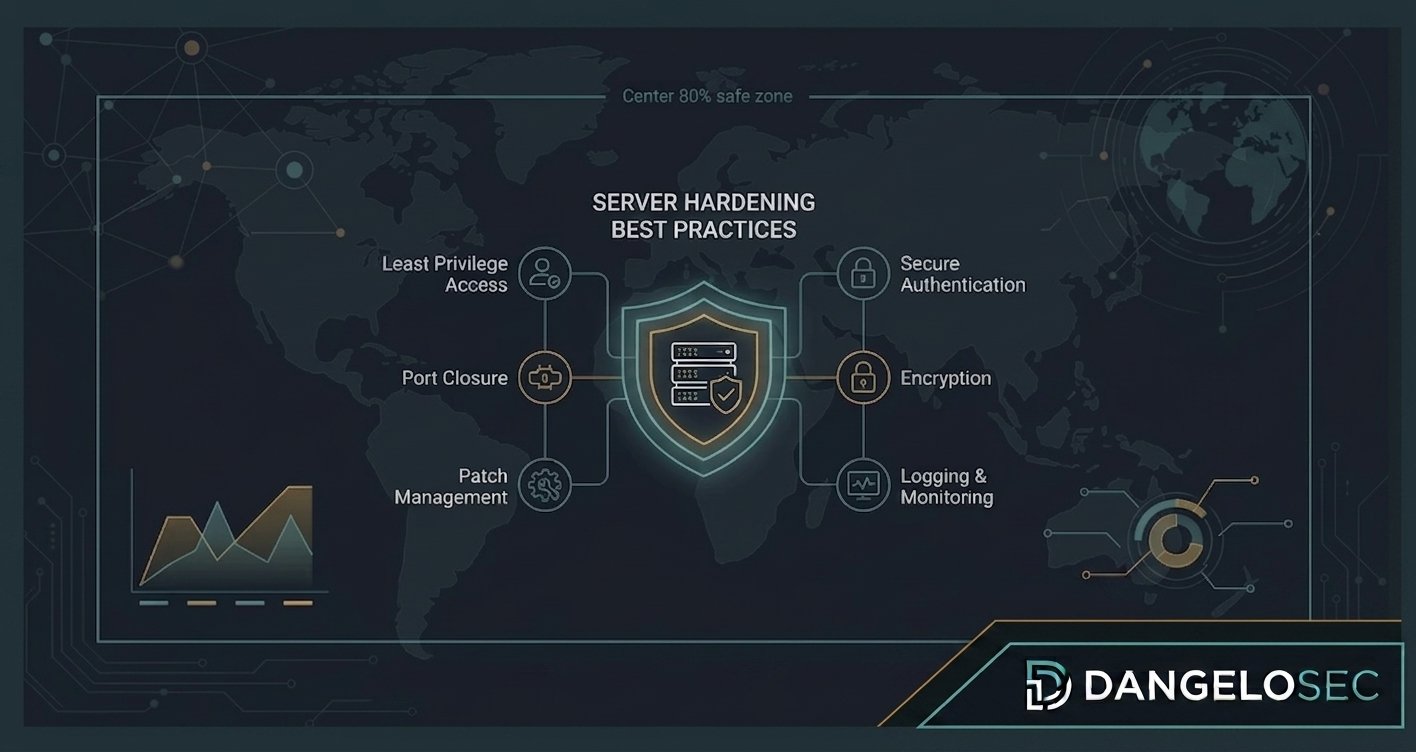
How to reduce attack surface, improve security posture, and harden servers without turning security controls into operational problems.
Security Doesn’t Start With an EDR
There is a tendency in cybersecurity to start with the tool.
Which EDR should we buy? Which firewall should we deploy? Which vulnerability scanner should we use? Which SIEM should we implement?
Those are important questions. But they aren’t where security starts.
Security starts with understanding what you already have. Servers. Operating systems. Applications. Network services. Accounts. Ports. Protocols. Privileges. Exposed services. Unpatched vulnerabilities. And, perhaps most importantly, the things your infrastructure is doing that nobody remembers why it is doing.
I’ve seen infrastructure environments with expensive security solutions deployed on top of servers that still had unnecessary services enabled, excessive privileges, outdated configurations, weak segmentation, and undocumented dependencies.
Buying another security product doesn’t automatically fix that.
Sometimes the first security improvement isn’t another tool. It’s hardening what you already operate.
What Is Server Hardening?
Server hardening is the process of reducing the attack surface of a server by removing unnecessary exposure and strengthening its configuration. That can include:
- Disabling unnecessary services
- Closing unnecessary ports
- Removing unused software
- Enforcing secure authentication
- Controlling administrative privileges
- Applying security patches
- Configuring logging
- Strengthening network controls
- Protecting sensitive data
- Implementing appropriate encryption
- Reducing unnecessary permissions
- Monitoring configuration changes
The objective is simple: make the server perform its required business function while exposing as little unnecessary functionality as possible.
That last part is important. A hardened server isn’t necessarily a server with every possible security control enabled. It is a server configured according to its role, risk, dependencies, and business requirements.
Hardening Is Not the Same as Locking Everything Down
This distinction became very clear to me throughout my infrastructure career.
It is relatively easy to say “block everything.” It is much harder to say “block what creates unnecessary risk while preserving what the business actually needs.”
Security exists to reduce business risk. It shouldn’t become a mechanism for making the business impossible to operate. The same principle applies to servers.
If you disable a service without understanding its dependencies, you may improve one security metric while creating an availability incident. That isn’t successful hardening. It’s uncontrolled change.
The Real Challenge: You Don’t Always Know What You Have
Before hardening a server, you need to understand it. This sounds obvious. In practice, it can be one of the hardest parts — especially in environments that have existed for years.
Servers accumulate applications, agents, services, scheduled tasks, firewall rules, accounts, integrations, scripts, and legacy dependencies. And sometimes nobody remembers why something exists.
The administrator who implemented it may have left the company years ago. The application may have changed owners. The documentation may be incomplete. Yet the service remains in production.
That’s why I would never start a hardening project by blindly applying a checklist. I would start with discovery.
Step 1: Know the Role of the Server
Before changing configuration, answer: what is this server actually responsible for?
Examples: Active Directory Domain Controller, DNS server, file server, database server, application server, web server, virtualization host, monitoring server, backup server, management server.
The hardening requirements are different for each role. A Domain Controller doesn’t have the same exposure profile as a web server. A database server doesn’t have the same requirements as a file server. A public-facing application server requires a different approach from an internal management server.
Context matters.
Step 2: Identify What Is Exposed
The next question is: what can communicate with this server?
Look at listening ports, network interfaces, firewall rules, remote administration, published services, VPN access, application dependencies, inbound connections, and outbound connections.
A server doesn’t have to be directly exposed to the internet to represent risk. An attacker who compromises one internal machine may attempt to move laterally. That means internal exposure matters too.
Step 3: Remove What Isn’t Necessary
One of the simplest hardening principles is also one of the most effective: if you don’t need it, don’t run it.
That applies to software, services, protocols, ports, accounts, and permissions.
Every unnecessary component increases complexity. And complexity creates opportunities for vulnerabilities, misconfiguration, privilege abuse, and unexpected dependencies.
This doesn’t mean removing things recklessly. It means understanding the server’s function and eliminating unnecessary exposure systematically.
Step 4: Patch Management Is Part of Hardening
A server with excellent configuration but known critical vulnerabilities is not adequately hardened. Patch management should therefore be part of the hardening strategy.
But patching is not simply “install every update immediately.” Production environments require a controlled process. You need to consider criticality, testing, maintenance windows, dependencies, rollback, application compatibility, and business impact.
This is one reason vulnerability management and patch management should not be treated as completely separate disciplines. A vulnerability tells you about a risk. Patch management is one of the mechanisms available to reduce that risk.
Step 5: Control Administrative Privileges
One of the most important areas of server security is administrative access. Ask: who has administrative access? Why? Is the access permanent? Are shared accounts being used? Are service accounts properly controlled? Are privileged credentials protected? Are administrative activities logged?
The principle of least privilege is simple: users and services should have only the permissions they actually need.
In practice, implementing this can be difficult. People often resist restrictions because they were accustomed to having broad access. But convenience and security are frequently in tension.
The answer isn’t necessarily to remove every privilege. It is to create a controlled and auditable model.
Step 6: Secure Remote Administration
Remote administration is essential for modern infrastructure. But it is also a significant attack surface.
Administrative protocols and tools should therefore be restricted, authenticated strongly, limited to authorized networks, monitored, and protected by appropriate security controls.
For example, Remote Desktop should not simply be exposed broadly because it is convenient for administrators. Remote administration should have an architectural boundary.
Step 7: Strengthen Authentication
A secure server still depends on identity. Consider strong authentication, MFA where applicable, privileged account separation, password policies, service accounts, account lifecycle, inactive accounts, and authentication logging.
One of the most common infrastructure mistakes is treating identity as somebody else’s problem. It isn’t. Infrastructure security and identity security are deeply connected.
Step 8: Configure Host-Based Firewall Controls
Network firewalls are important. But they aren’t the only layer. Host-based firewall controls can provide another layer of protection.
The principle is straightforward: a server should communicate only with the systems and services that require communication.
For example, a database server may need to accept connections from an application server. It probably doesn’t need unrestricted inbound connectivity from every workstation. This is where segmentation and host-level controls reinforce each other.
Step 9: Protect Logging and Monitoring
A hardened server should not only resist attacks. It should help you understand what happened when something goes wrong.
Logging should cover relevant events such as authentication, privilege changes, configuration changes, service activity, security events, and suspicious behavior.
But logging without a retention and review strategy isn’t enough. The question isn’t simply “are we generating logs?” It is “can we use those logs when we need them?”
This became particularly important in my experience with firewall modernization, where centralized logging and retention fundamentally changed our ability to investigate events and demonstrate compliance.
Security visibility is part of security.
Step 10: Protect the Server From Configuration Drift
A server may be properly hardened today. Six months later, it may not be.
Someone installs an application. A port is opened. A temporary account becomes permanent. A security setting is changed to troubleshoot a problem. A firewall rule is added. Nobody documents the change.
This is configuration drift. And it is one of the reasons hardening should be treated as a process rather than a one-time project.
Hardening and Vulnerability Management Are Connected
This is where many organizations make a conceptual mistake. They perform a vulnerability scan. They receive a report. They patch some machines. And they consider the problem solved.
Vulnerability management should be broader. A mature process asks: what assets do we have? What vulnerabilities exist? Which vulnerabilities matter most? What is the business impact? What remediation is available? Who owns the remediation? What is the deadline? Was the remediation successful? What remains exposed?
This is much more valuable than simply knowing the number of vulnerabilities.
A Real-World Lesson: Pentesting Changes the Conversation
One of the security projects I led involved engaging an external security company to perform penetration testing across our infrastructure. The objective wasn’t simply to produce a report. We wanted to understand our actual exposure.
The assessment covered areas such as infrastructure, servers, connectivity, firewalls, services exposed to the internet, internal systems, and cloud environments.
The results helped us identify where our environment needed improvement. From there, the work moved into areas such as system hardening, reducing unnecessary exposure, vulnerability management, improving configuration, reviewing published services, and strengthening security processes.
The important lesson was: a security assessment is valuable when it changes what the organization does afterward.
A penetration test sitting in a PDF doesn’t improve security. Remediation does.
Hardening Must Respect Production Reality
This is where infrastructure experience matters.
Security recommendations are often technically correct. But production environments are not laboratories.
You may discover “this service should be disabled” — but an application depends on it. Or “this port shouldn’t be open” — but a critical integration uses it. Or “this configuration should be changed” — but the vendor’s application doesn’t support the new setting.
That’s why I recommend treating hardening as a controlled engineering process.
A Safer Hardening Process
I would structure a hardening project like this:
- Inventory — know the assets.
- Classification — understand the role and criticality.
- Assessment — identify vulnerabilities and configuration weaknesses.
- Risk prioritization — separate critical issues from low-impact improvements.
- Change planning — understand dependencies.
- Testing — validate changes before production where possible.
- Implementation — apply changes in controlled stages.
- Validation — confirm that security improved without breaking business functionality.
- Documentation — record the resulting configuration.
- Continuous monitoring — prevent configuration drift.
This approach is slower than applying a generic checklist. It is also much safer.
What About CIS Benchmarks?
Industry benchmarks can provide an excellent baseline. The CIS Benchmarks are widely used as prescriptive configuration recommendations for many operating systems, applications, and technologies. They can help organizations answer “what does a reasonably secure baseline look like?”
But a benchmark should not replace architectural judgment. A production environment may have legitimate reasons to deviate from a recommendation.
The important thing is to understand the recommendation, understand the reason, assess the risk, document exceptions, and compensate where appropriate.
Compliance with a checklist isn’t the same thing as security.
Hardening Windows and Linux Are Not the Same
The principles are similar. The implementation isn’t.
Windows environments may involve Active Directory, Group Policy, Windows Defender, PowerShell, Windows Firewall, domain authentication, and Microsoft security tooling.
Linux environments may involve SSH, sudo, systemd, SELinux/AppArmor, package management, iptables/nftables, and Unix permissions.
The important thing isn’t memorizing every setting. It’s understanding the security model of the platform you’re responsible for.
The Most Dangerous Hardening Mistake
In my opinion, one of the most dangerous mistakes is: hardening a system without understanding the application.
You can create a beautifully secured server that no longer works. And when production breaks at 9 AM Monday morning, security will suddenly become the enemy. That’s how organizations develop resistance to cybersecurity.
The better approach is security, infrastructure, application, and business working together.
Security Should Not Become a War With Users
The same principle applies beyond servers. During security projects, I learned that the objective isn’t to create the most restrictive environment possible. It is to create an environment where the risk is understood and controlled.
If a business department needs a particular service, the conversation shouldn’t always be “no, security says no.” It should be “what is the risk, what is the business need, and what control can we put around it?”
That mindset creates security maturity.
Hardening Is One Layer of Defense
A hardened server is not a secure environment by itself. You still need layers such as identity security, network segmentation, firewalls, endpoint protection, vulnerability management, backups, monitoring, incident response, security awareness, and governance.
This is defense in depth. If one control fails, another layer should reduce the impact.
The Infrastructure–Security Connection
This is one of the reasons I believe infrastructure professionals need a strong security foundation. Infrastructure decisions directly affect security.
Your network architecture, server architecture, identity model, cloud design, firewall, storage, backup, and monitoring all contribute to the security posture.
Cybersecurity isn’t something that gets “added” to infrastructure at the end. It needs to be designed into it.
A Practical Server Hardening Checklist
Before considering a server adequately hardened, I would ask:
Asset & Role
- ☐ Do we know exactly what this server does?
- ☐ Is its business criticality documented?
- ☐ Are dependencies known?
Operating System
- ☐ Is the OS supported?
- ☐ Are security patches current?
- ☐ Are unnecessary services disabled?
- ☐ Is unnecessary software removed?
Network
- ☐ Are unnecessary ports closed?
- ☐ Is inbound access restricted?
- ☐ Is outbound communication understood?
- ☐ Is remote administration restricted?
Identity
- ☐ Are privileged accounts controlled?
- ☐ Are unnecessary accounts removed?
- ☐ Are service accounts managed?
- ☐ Is strong authentication used where appropriate?
Security
- ☐ Is endpoint protection deployed?
- ☐ Are host firewall controls configured?
- ☐ Is disk/data encryption appropriate?
- ☐ Are vulnerabilities monitored?
Logging
- ☐ Are relevant security events logged?
- ☐ Are logs protected?
- ☐ Is retention defined?
- ☐ Can the team actually investigate the logs?
Governance
- ☐ Is the configuration documented?
- ☐ Are changes controlled?
- ☐ Are exceptions documented?
- ☐ Is configuration drift monitored?
The Goal Isn’t a Perfect Server
This may sound strange in a cybersecurity article. But I don’t believe there is such a thing as a perfectly secure server.
The goal is to make the environment less exposed, better controlled, more observable, more resilient, and more difficult to compromise.
Security is risk management. Not perfection.
Key Takeaways
- Understand the server before changing it.
- Know what is exposed.
- Remove unnecessary services and software.
- Keep operating systems and applications patched.
- Control privileged access.
- Restrict remote administration.
- Use host-level firewall controls.
- Centralize and protect relevant logs.
- Connect hardening with vulnerability management.
- Test security changes before breaking production.
- Use industry benchmarks as baselines, not as substitutes for judgment.
- Treat hardening as an ongoing process, not a one-time checklist.
Final Thought
After years working with infrastructure, I’ve come to believe that some of the most important cybersecurity improvements aren’t the most impressive ones.
They don’t always involve AI. They don’t always involve a new security platform. Sometimes they involve removing a service nobody uses, closing a port nobody needs, removing an old administrator account, patching a vulnerable server, restricting a privileged credential, reviewing a firewall rule, understanding why a system is exposed, and documenting a configuration.
These things may not sound revolutionary. But security maturity is often built from these fundamentals.
Before protecting what is new, make sure you understand what you already have.