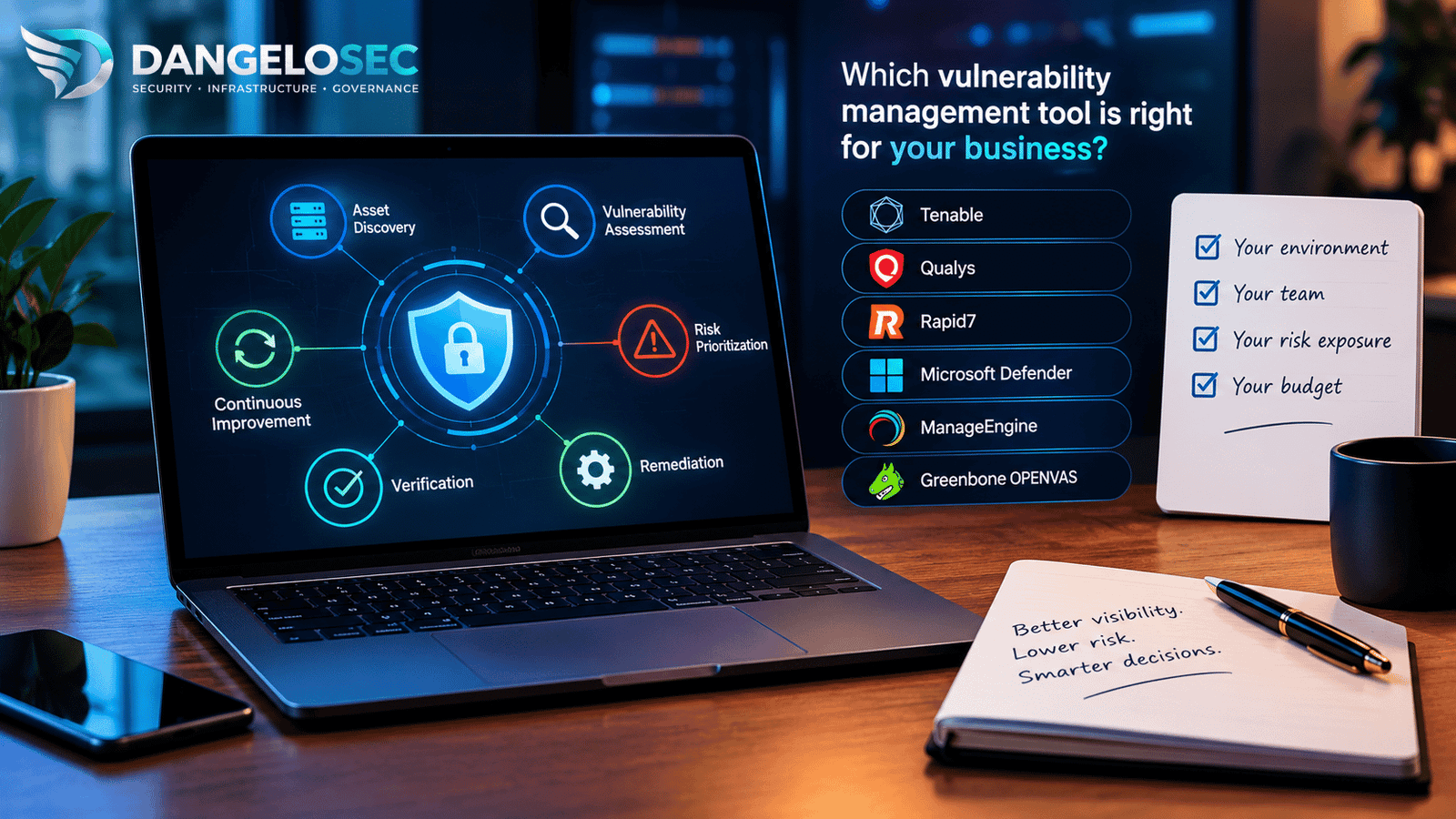
Choosing the best vulnerability management tools requires more than comparing vulnerability scan results. Businesses need to consider asset coverage, risk prioritization, remediation workflows, integrations, staffing requirements, and total cost of ownership.
This guide compares vulnerability management platforms for small and midsize businesses, explaining where each solution fits, what capabilities to evaluate, and which trade-offs to consider before making a purchasing decision.
A platform that identifies thousands of vulnerabilities but leaves a generalist IT team without a workable remediation process may create more noise than value. Conversely, a lightweight scanner may be insufficient for an organization with complex infrastructure, strict compliance requirements, cloud workloads, or a growing attack surface.
This guide compares six vulnerability management options from a practical business perspective: what each one is designed to do, which organizations should evaluate it, where it may fall short, and what to verify before investing.
Editorial note: This is an independent, research-based comparison of publicly documented product capabilities and pricing. DangeloSec has not conducted hands-on testing of these products for this article, and the recommendations are based on use cases rather than a universal ranking. Product features, licensing, and prices may change.
Best Vulnerability Management Tools: Quick Decision Guide
| Your situation | Start by evaluating | Why it may fit | Main question to resolve |
|---|---|---|---|
| You need broad visibility across a mixed or complex environment. | Tenable, Qualys, or Rapid7 | These platforms offer vulnerability discovery, risk prioritization, and workflows suited to organizations that need structured visibility across many assets. | Which assets and technologies are covered by the specific product and license you are buying? |
| Your business already uses Microsoft security products extensively. | Microsoft Defender Vulnerability Management | It may build on existing security operations and Microsoft Defender integrations, depending on your current licenses. | Which capabilities are already included, and which require a separate license or add-on? |
| You want vulnerability assessment and endpoint remediation in a practical IT management workflow. | ManageEngine Vulnerability Manager Plus | Its editions combine vulnerability assessment with additional capabilities such as security configuration management and patch management. | Does the edition cover your endpoints, servers, network devices, deployment model, and technician requirements? |
| You have security expertise and prefer to manage an open-source scanning stack. | Greenbone OPENVAS Community Edition | It offers a route to vulnerability scanning without a commercial software license for the community edition. | Who will operate the scanner, maintain it, validate findings, and manage remediation? |
| You have limited IT staff and no defined remediation process. | Assess your process before selecting a platform. | Better tooling cannot compensate for missing asset ownership, patching responsibilities, or time to fix issues. | Who will act on findings every week, and how will closure be verified? |
Important: Tenable, Qualys, and Rapid7 should not automatically be classified as enterprise-only or assumed to be the most expensive options. Their suitability and total cost depend on the specific product, number and type of assets, deployment requirements, modules, support, and contract. The practical distinction is the scope and depth of capability your organization needs—not the brand name alone.
1. Before buying a tool, define the problem you need to solve
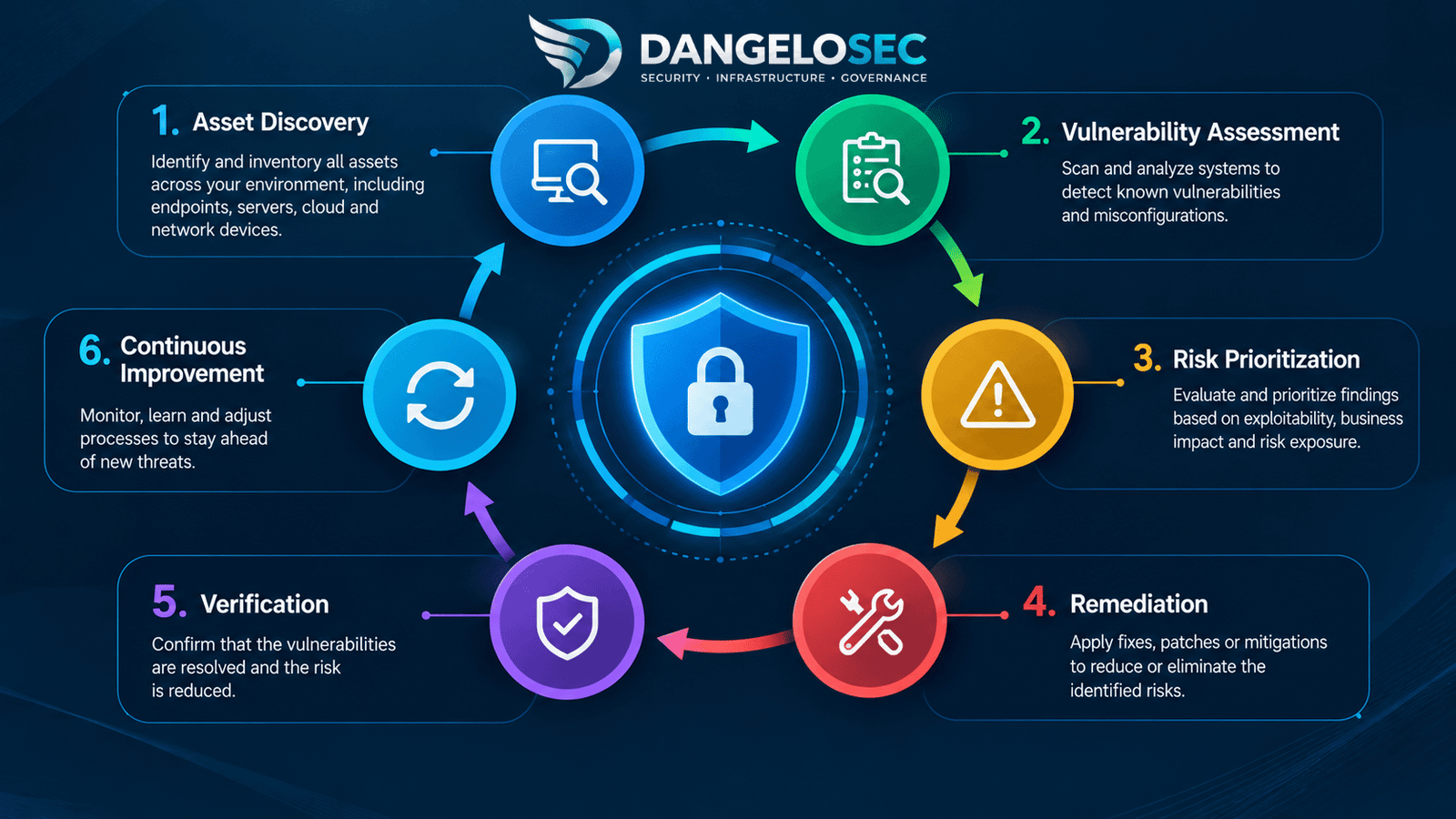
Vulnerability management is a continuous process, not a one-time scan. It includes discovering assets, identifying weaknesses, evaluating risk, assigning remediation, applying fixes or mitigations, and verifying that the exposure has been reduced.
The National Institute of Standards and Technology (NIST) describes enterprise patch management as identifying, prioritizing, acquiring, installing, and verifying patches and updates. This is an important distinction: discovering a vulnerability and successfully reducing the associated risk are different activities.
Strong remediation also depends on secure system configuration. See our practical server hardening guide for ways to reduce unnecessary exposure while keeping production systems reliable.
Read the NIST SP 800-40 Rev. 4 guidance.
Answer these five questions first
- What must be covered? Count workstations, laptops, servers, cloud instances, network devices, applications, and other in-scope assets. Identify remote and occasionally connected devices.
- What are you trying to protect? Identify internet-facing systems, business-critical applications, sensitive data, privileged systems, and assets that would cause significant disruption if compromised.
- What can your team actually fix? Determine whether the team can deploy patches, change configurations, upgrade software, coordinate with a managed service provider, or only report findings.
- Which tools are already in place? Document endpoint security, EDR, patch management, device inventory, ticketing, cloud security, and compliance reporting tools.
- What evidence must you produce? Determine whether management, customers, insurers, auditors, or contractual obligations require remediation records, vulnerability trends, or compliance evidence.
These answers determine whether you need a dedicated vulnerability management platform, an extension of your existing security stack, a tool that combines assessment and remediation, or a managed service to operate the process.
For a broader view of ownership, asset visibility, and technology risk, read our guide to IT governance for small and mid-sized businesses.
2. Compare the tools by fit, capability, integration, and cost
Tenable Vulnerability Management / Tenable One
Best fit: Organizations that need broad asset visibility and risk-based vulnerability prioritization across a mixed IT environment, particularly when the security team needs to explain which exposures matter most and why.
What it adds: Tenable Vulnerability Management provides asset discovery, vulnerability assessment, risk prioritization, and remediation guidance. The broader Tenable One platform extends visibility into additional exposure areas, depending on the products and licenses selected.
Why consider it: It is a strong candidate when the business has a varied infrastructure, needs to prioritize beyond a simple severity list, or expects its vulnerability management program to expand. Risk scoring and asset context can help a team focus on the weaknesses most likely to affect the organization.
What to watch: A broad feature set does not remove the need for accurate asset inventory, scan configuration, credential management, remediation ownership, and integration planning. Confirm whether the specific package covers cloud, web applications, external attack surface, or other capabilities your business expects. Do not assume every Tenable One capability is included in a basic vulnerability management purchase.
Investment: Tenable publishes pricing for selected products and scopes. Its public purchase page has listed Tenable One Vulnerability Management at $3,700 per year for 100 assets. Treat this as a reference for that specific offer, not a universal quote for Tenable products. Validate asset definitions, coverage, support, contract length, and required modules.
Integration questions: Can findings be sent into your ticketing or IT service management workflow? Can asset criticality be mapped to business owners? Can your team verify remediation with follow-up assessments?
Consider another approach if: Your organization only needs a small, narrowly scoped assessment and does not have the people or process to use a broader platform effectively.
Explore Tenable Vulnerability Management · Review Tenable licensing FAQs
Qualys VMDR
Best fit: Organizations that want a vulnerability management program centered on asset visibility, risk assessment, prioritization, and remediation workflows, and that need to evaluate how these capabilities fit into a broader security operations environment.
What it adds: Qualys VMDR—Vulnerability Management, Detection and Response—is designed to connect vulnerability discovery and assessment with risk prioritization and remediation-oriented capabilities.
Why consider it: It is worth evaluating when you want vulnerability management to be a structured, recurring operational function rather than an occasional scan. The evaluation should focus on how well the platform handles your actual assets, how findings are prioritized, and how remediation progress is tracked.
What to watch: Platform breadth can be valuable, but it can also introduce implementation and administration work. Confirm the scope of the VMDR package, which additional modules are separate, and whether the capabilities you need are included in the proposed configuration.
Investment: Obtain a quote based on the asset types and modules in scope. Compare the same asset inventory, deployment requirements, support level, and contract term across vendors. Do not infer that Qualys is necessarily more expensive than another platform simply because it is designed for broad environments.
Integration questions: Can the platform connect to your current asset sources and remediation workflow? Does it support the operating systems, cloud environments, and network devices you actually run? Can it generate the evidence required by your security and compliance stakeholders?
Consider another approach if: Your environment is small and simple, your remediation process is not yet established, or your organization cannot allocate the operational ownership required to use a broader platform.
Rapid7 InsightVM / Exposure Command
Best fit: Organizations that need risk-based vulnerability management and want to connect findings to a broader exposure management strategy as their security program matures.
What it adds: InsightVM focuses on vulnerability risk management, including visibility into exposed assets and prioritization. Rapid7 also presents Exposure Command as a broader exposure management offering that can bring vulnerability insights together with other security context. Buyers should verify the current product, package, and commercial path that fits their requirements.
Why consider it: It is a candidate for teams that need to move from vulnerability lists to prioritized remediation and measurable risk reduction. It may be particularly relevant when the organization wants a shared view of exposures across multiple security functions.
What to watch: Do not assume all broader exposure management capabilities are included in an InsightVM purchase. Ask which functions are part of the quoted product, which require additional packages, and how existing InsightVM customers are handled under current offerings.
Investment: Rapid7’s public pricing page has advertised InsightVM starting at $1.62 per asset per month for 500 assets. Use this as a published starting reference only; verify the current minimum purchase, included capabilities, billing terms, and total quote directly with Rapid7.
Integration questions: How does the solution connect with your ticketing system, endpoint and cloud security tools, and remediation teams? Can the IT team assign findings to the correct owner and demonstrate that the risk has actually been reduced?
Consider another approach if: You need only a limited scanner and do not require the additional risk-management or exposure-management capabilities available in the relevant offering.
Explore Rapid7 InsightVM · Review Rapid7’s public pricing information
Microsoft Defender Vulnerability Management
Best fit: Organizations already using Microsoft security products that want to evaluate vulnerability management in the context of their existing endpoint and security operations environment.
What it adds: Depending on the license, Defender Vulnerability Management can provide device and software inventory, vulnerability and configuration assessment, risk-based prioritization, remediation tracking, and other capabilities. Premium features and server coverage vary by plan.
Why consider it: If Microsoft Defender is already central to your endpoint security operations, this option may reduce operational friction by keeping vulnerability information closer to tools your team already uses. Existing integrations and staff familiarity may also reduce training and workflow changes.
What to watch: Do not assume that Microsoft 365, Windows, or every Defender subscription includes the full vulnerability management feature set. Microsoft documents differences between core capabilities, the Defender Vulnerability Management add-on, standalone licensing, and server plans. Also verify support for the operating systems and non-Microsoft assets in your environment.
Investment: Start with a licensing review before requesting a new purchase. Identify the capabilities you already have, the features that require an add-on, and whether standalone licensing is appropriate. The lowest incremental cost may come from an existing license, but only if it actually covers the required devices and functions.
Integration questions: Which devices are visible in the Defender portal today? Are Linux, macOS, servers, cloud workloads, and third-party EDR environments in scope? Can the platform support your required remediation and reporting workflow?
Consider another approach if: Your environment is heterogeneous and the proposed Microsoft configuration cannot provide adequate visibility across all required asset types—or if the required premium features make another option a better overall fit.
Compare Microsoft Defender Vulnerability Management capabilities · Review licensing FAQs
ManageEngine Vulnerability Manager Plus
Best fit: Small and midsize organizations that want a practical combination of vulnerability assessment, security configuration management, and patch-related capabilities, especially when endpoint and IT administration are closely connected.
What it adds: Depending on the edition, Vulnerability Manager Plus combines vulnerability scanning and assessment with risk prioritization, misconfiguration detection, security configuration management, and patch management capabilities. This combination can help a generalist IT team connect a finding to an action rather than simply exporting a list of weaknesses.
How it differs from Tenable, Qualys, and Rapid7: The distinction is not that ManageEngine is incapable of vulnerability management. Its practical appeal is the combination of vulnerability management with endpoint-focused remediation and IT administration workflows. A business that needs a clear path from identifying a missing patch or insecure configuration to managing the corrective action may find this model easier to operationalize.
By contrast, organizations that need broad visibility across complex infrastructure, advanced exposure context, or a larger set of security integrations should compare the exact capabilities of the relevant Tenable, Qualys, and Rapid7 packages. These categories overlap; they are not mutually exclusive product types.
What to watch: Feature availability differs between Professional, Enterprise, and Free editions. Check the number of workstations, servers, network devices, technician accounts, and deployment options included in the exact edition. Confirm whether the product fits your operating systems and whether its patching capabilities replace, complement, or overlap with your existing patch management tool.
Investment: ManageEngine publishes pricing by edition and asset range. Its public pricing table has listed Professional for 100 workstations and one technician at $695 annually on-premises or $895 annually in the cloud. Enterprise has been listed at $1,195 annually on-premises or $1,545 annually in the cloud for that same workstation count. These are reference prices for specific configurations, not a quote for every environment. Server coverage, additional technicians, deployment choices, and other requirements may change the total.
Integration questions: Can you manage the endpoints in scope from the chosen deployment? Does the tool fit your current software deployment and patching process? Can you test updates, schedule maintenance, handle exceptions, and verify that patches were applied successfully?
Consider another approach if: Your primary need is deep visibility across a complex, highly heterogeneous attack surface, or your existing endpoint and patch management ecosystem already provides these functions effectively and you need a different specialized capability.
Compare ManageEngine editions · Review ManageEngine pricing
Greenbone OPENVAS Community Edition
Best fit: Organizations with in-house technical expertise that want an open-source vulnerability scanning option and are prepared to manage the surrounding operational work themselves.
What it adds: OPENVAS Community Edition offers a way to conduct vulnerability scanning without paying a commercial license fee for the community edition. It can be useful for technical teams that want greater control over their scanning environment, need to learn or validate a vulnerability assessment process, or have a well-defined scope that fits the tool.
Why consider it: It can reduce direct software licensing costs and provide flexibility for technically capable teams. It may also be useful as part of a broader security testing process where the team understands how to configure scans, interpret findings, and validate results.
What to watch: Open source does not mean zero cost or zero effort. Your organization must account for deployment, infrastructure, updates, scan scheduling, credential management, false-positive review, reporting, troubleshooting, and remediation follow-up. You should also confirm the support, update cadence, and feature differences between the Community Edition and any commercial Greenbone offering before relying on it for operational or compliance needs.
Investment: The community edition avoids a commercial software license fee, but the total cost includes the people and infrastructure required to operate it. If your IT team is already overloaded, the time required to maintain the scanner and interpret results can outweigh the license savings.
Integration questions: Can your team authenticate scans safely, centralize findings, track remediation, and provide repeatable reports? Is there a clear owner for keeping the scanning environment operational? Can you verify fixes rather than simply rerun scans and export results?
Consider another approach if: You have no dedicated technical owner, need vendor-backed support, must meet specific reporting requirements, or cannot reliably turn findings into remediation work. In that situation, a commercial platform or a managed vulnerability management service may be more appropriate.
Explore Greenbone · Review Greenbone documentation
3. How much should a business budget?
There is no reliable single price range for all vulnerability management tools. Commercial platforms use different licensing models, and a low published entry price may not include every asset type, premium capability, or support requirement. Open-source software can reduce license costs while increasing the workload carried by internal staff.
The public figures below are useful as initial reference points—not a like-for-like market price comparison.
| Option | Public price information | What to confirm |
|---|---|---|
| Tenable | A public Tenable One Vulnerability Management offer has listed $3,700 annually for 100 assets. | Asset definition, included capabilities, contract term, support, and any additional modules. |
| Qualys VMDR | Request a quote for the proposed scope. | Modules, asset types, coverage, support, and deployment requirements. |
| Rapid7 InsightVM | Rapid7 has advertised a starting price of $1.62 per asset per month for 500 assets. | Current minimums, licensing terms, included features, and any required add-ons. |
| Microsoft Defender Vulnerability Management | Pricing and entitlements depend on the existing Microsoft plan, add-on, standalone option, and server licensing. | Which capabilities are already licensed and which require an additional purchase. |
| ManageEngine Vulnerability Manager Plus | Public pricing varies by edition, deployment model, and number of workstations, servers, and technicians. | Correct edition, server coverage, technician count, and subscription versus perpetual licensing. |
| Greenbone OPENVAS Community Edition | No commercial license fee for the community edition. | Internal labor, infrastructure, maintenance, support needs, and the cost of operating the process. |
Pricing references: Tenable, Rapid7, ManageEngine, and Microsoft licensing documentation.
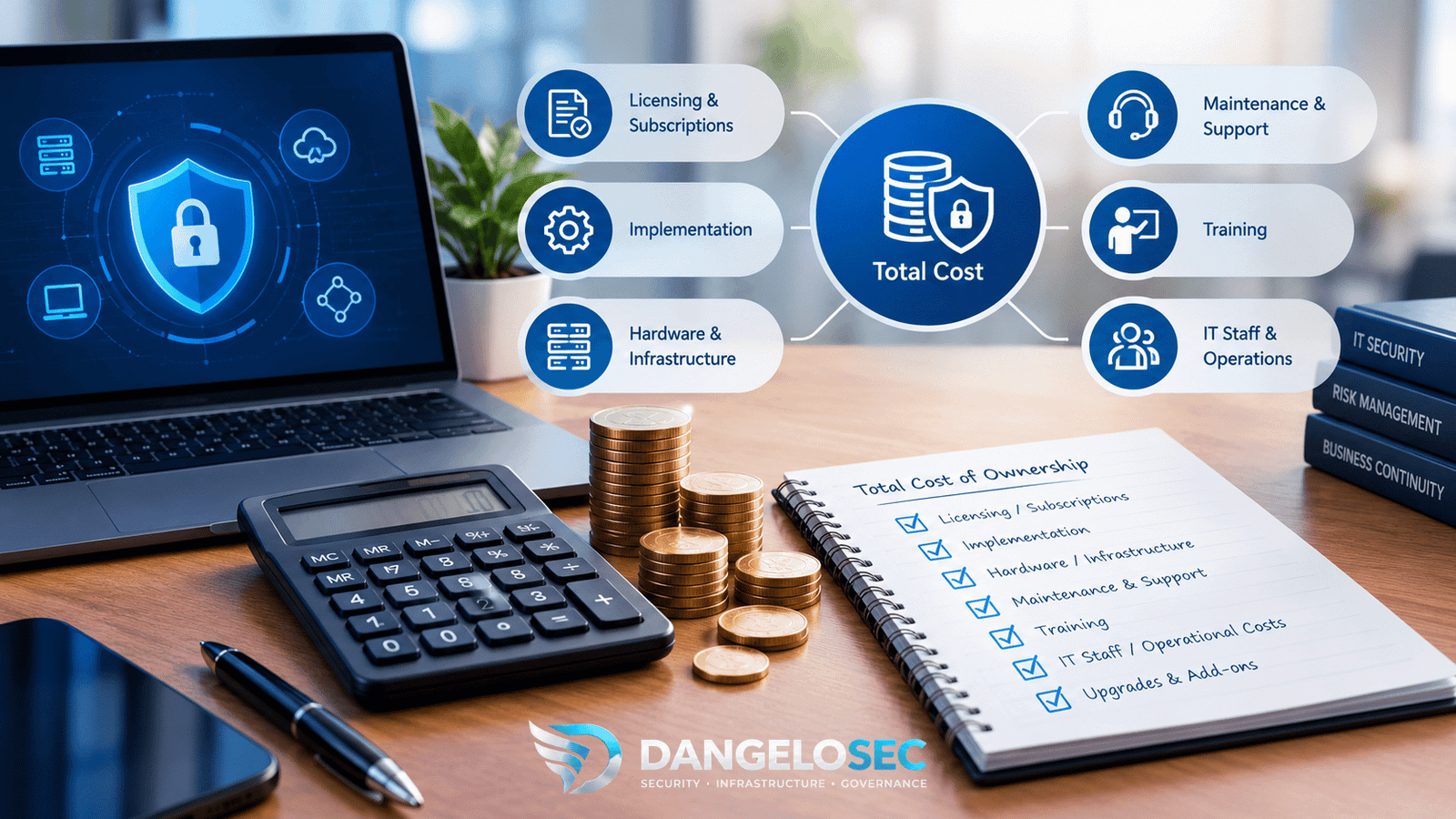
Calculate total cost of ownership—not just the license
Before choosing a vendor, estimate the cost of operating the tool over at least one year. Include:
- Software and subscription: Base license, asset limits, add-ons, support, and renewal increases.
- Implementation: Initial configuration, asset discovery, credentials, scan schedules, integrations, and reporting.
- Staff time: Reviewing findings, validating false positives, assigning remediation, communicating with system owners, and maintaining the platform.
- Remediation: Patch deployment, testing, maintenance windows, configuration changes, application upgrades, and downtime planning.
- Existing tools: Potential overlap with endpoint security, patch management, asset inventory, ticketing, or cloud security tools.
- Assurance and reporting: Evidence collection, audit preparation, policy exceptions, and verification of remediation.
For a small business, the most affordable option is not necessarily the one with the lowest subscription. It is the option that provides the required coverage and allows the organization to reduce risk consistently without creating an unmanageable operational burden.
4. Choose by company profile
Profile A: A small business with one generalist IT administrator
Starting point: Review the security and endpoint management tools you already pay for. If your environment is primarily managed workstations and a limited number of servers, compare the incremental cost and capabilities of Microsoft Defender Vulnerability Management with ManageEngine Vulnerability Manager Plus.
Consider a commercial scanning platform such as Tenable, Qualys, or Rapid7 if you need coverage or prioritization that your current tools cannot provide. OPENVAS may be appropriate if the administrator has the time and expertise to operate it reliably.
Decision rule: Favor a solution that provides sufficient asset coverage, clear remediation instructions, manageable reporting, and a workflow the administrator can maintain every week.
Profile B: A growing midsize business with mixed infrastructure
Starting point: Evaluate Tenable, Qualys, and Rapid7 alongside any existing Microsoft or endpoint management capabilities. Build a common requirements list and test each candidate against representative assets rather than comparing marketing feature lists.
Include cloud workloads, remote endpoints, servers, network devices, business-critical applications, and external-facing systems if they are part of your environment. Check the quality of integrations with ticketing, endpoint management, and reporting systems.
Decision rule: Select the platform that offers the best balance of coverage, prioritization, integrations, remediation workflow, and total operating cost—not simply the longest feature list.
Profile C: A Microsoft-centric organization
Starting point: Audit your current Defender and Microsoft licensing first. Map each required capability to the exact plan or add-on that provides it. Confirm whether all required assets are covered, especially servers, non-Windows devices, and workloads outside the existing Microsoft security scope.
Decision rule: If the Microsoft option covers your assets and integrates well with your operations at an acceptable incremental cost, it may be the simplest route. If it leaves material visibility gaps, compare a dedicated platform or a complementary tool.
Profile D: A business with a limited budget and strong technical expertise
Starting point: Evaluate OPENVAS Community Edition against a commercial option. Include the labor needed to install, update, operate, troubleshoot, report, and validate remediation.
Decision rule: Choose open source when the organization can sustain the process—not merely because the license fee is zero. If there is no dependable technical owner, a supported commercial tool or managed service may provide better value.
5. The evaluation checklist: What to test before signing a contract
Run a focused proof of concept using a representative sample of your real environment. Ask each vendor to demonstrate the same use cases and document what is included in the quoted package.
- Asset coverage: Can the product discover and assess the devices, operating systems, applications, servers, network devices, and cloud assets that matter to your business?
- Finding quality: Can you validate findings, understand their technical context, and distinguish confirmed issues from false positives or findings that require further investigation?
- Risk prioritization: Does the tool help you identify exploitable or business-critical exposures rather than relying only on severity scores?
- Remediation guidance: Does each finding provide actionable remediation information, and can your team assign it to a responsible owner?
- Workflow integration: Can findings be sent to the ticketing, patch management, endpoint security, or IT service management tools you already use?
- Verification: Can the tool confirm that a fix worked, record exceptions, and show which findings remain open?
- Reporting: Can technical teams use the reports to work, while leadership receives a concise view of risk trends and remediation progress?
- Operational effort: How much staff time is needed each week to maintain scans, review findings, and follow up on remediation?
- Licensing: What exactly counts as a licensed asset? Are servers, cloud workloads, network devices, remote endpoints, and additional modules included?
- Support and exit: What support is included, how are findings exported, and can your organization retain usable records if it changes platforms?
Do not judge the proof of concept solely by the number of vulnerabilities detected. A useful platform should help your team identify the right priorities, complete remediation, and demonstrate that exposure has decreased.
6. A workable vulnerability management process for a small or midsize business
Regardless of the tool, establish a repeatable process before expanding the program.
- Build an asset inventory. Identify what exists, who owns it, and how important it is to the business.
- Scan and assess. Configure appropriate scanning methods, credentials, coverage, and schedules.
- Prioritize risk. Consider severity, evidence of exploitation, exposure, asset criticality, and potential business impact.
- Assign remediation. Create work items with an owner, target date, and clear remediation or mitigation steps.
- Fix or mitigate. Apply patches, upgrade software, change configurations, restrict access, or implement an approved compensating control.
- Verify the result. Reassess the asset or use other reliable evidence to confirm that the exposure has been addressed.
- Report and improve. Review overdue critical findings, recurring weaknesses, coverage gaps, and remediation performance.
Not every vulnerability can be fixed immediately. When remediation is delayed, document the reason, the business owner who accepts the risk, any compensating controls, and the date for reassessment. Risk acceptance should be an explicit decision—not an untracked exception.
7. Measure outcomes that matter to the business
Use a small set of metrics that help management understand whether the program is improving:
- Asset coverage: Percentage of in-scope assets that are inventoried and assessed.
- Critical-risk remediation time: How long it takes to remediate or mitigate the highest-priority findings.
- Overdue findings: Number of high-risk issues past their agreed remediation deadline.
- Verified closure rate: Percentage of remediated findings confirmed as resolved.
- Recurring weaknesses: Findings that repeatedly return because of incomplete fixes, poor configuration management, or weak ownership.
- Operational effort: Time spent operating the platform and coordinating remediation compared with the value it provides.
These measures are more useful than reporting a large raw vulnerability count without explaining business impact or remediation progress.
Frequently Asked Questions About Vulnerability Management Tools
Is a more expensive vulnerability management tool always better?
No. A more extensive platform can be valuable when an organization needs broad coverage, advanced prioritization, integrations, or formal reporting. If the business cannot use those capabilities—or does not need them—the additional cost and operational complexity may not be justified.
Is Microsoft Defender Vulnerability Management included with Microsoft 365?
Not automatically in every plan. Capabilities differ by license, add-on, standalone offering, and server plan. Review Microsoft’s current capability and licensing documentation before assuming that an existing subscription provides everything your organization needs.
Is ManageEngine only an endpoint management tool?
No. Vulnerability Manager Plus includes vulnerability assessment and, depending on the edition, capabilities related to patch management and security configuration management. Its appeal is the combination of these functions in a workflow that may be practical for IT teams responsible for endpoints and remediation.
Can OPENVAS replace a commercial vulnerability management platform?
It can be suitable for some scanning and assessment requirements, but equivalence should not be assumed. Compare coverage, reporting, integrations, support, update processes, and operational requirements. The organization must also be able to maintain the scanner and manage remediation.
Should a small business use a managed vulnerability management service?
Consider one if internal staff lack the time or expertise to configure scans, validate findings, prioritize risk, and follow remediation through to completion. Before contracting, define whether the provider only reports vulnerabilities or also supports prioritization, remediation coordination, verification, and ongoing reporting.
What is the first step if we cannot afford a dedicated platform yet?
Start with a reliable asset inventory, existing security capabilities, a defined patching process, and a way to track remediation. Prioritize internet-facing and business-critical assets, establish ownership and deadlines, and evaluate additional tooling against the gaps you identify. A tool should strengthen a working process rather than substitute for one.
Final Recommendation: Buy for Your Operating Reality, Not the Feature List
For a small or midsize business, the best vulnerability management tool is the one that gives the organization adequate visibility, helps prioritize the risks that matter, integrates with the tools it already uses, and supports remediation that the team can actually complete.
- Evaluate Microsoft Defender Vulnerability Management first when your organization already operates within the Microsoft security ecosystem—but verify the exact license and asset coverage.
- Evaluate ManageEngine Vulnerability Manager Plus when you want vulnerability assessment combined with endpoint-oriented configuration and patch management capabilities.
- Compare Tenable, Qualys, and Rapid7 when broader visibility, risk prioritization, and structured workflows are central requirements. Let the proof of concept, integration fit, and total cost determine the winner.
- Evaluate OPENVAS Community Edition when you have the technical expertise and operational capacity to run and maintain an open-source scanning solution.
- Consider a managed service when the main gap is not software but the people and time needed to run the vulnerability management process consistently.
Before making a commitment, ask each provider to demonstrate how its solution handles your actual asset inventory, identifies a meaningful risk, assigns remediation, integrates with your existing tools, and verifies the fix. Request a quote using the same scope and assumptions for every vendor.
The goal is not to buy the platform with the most features. It is to establish a sustainable process that reduces exposure, supports business continuity, and gives leadership evidence that security risk is being managed.
Sources and Further Reading
- NIST SP 800-40 Rev. 4: Guide to Enterprise Patch Management Planning
- Tenable Vulnerability Management
- Qualys VMDR
- Rapid7 InsightVM
- Microsoft Defender Vulnerability Management: Plan and capability comparison
- ManageEngine Vulnerability Manager Plus: Edition comparison
- Greenbone
Last reviewed: October 2026. Product capabilities, availability, licensing, and pricing may change. Confirm current details with the vendor before purchasing.